Websites and URLs
Three ways to add web content: crawl a site, import a sitemap, or add one page. Each can update on a schedule so answers track the live site.
Add website content to your Nivon knowledge base so your agent can use it when answering customer questions.
Add a new source
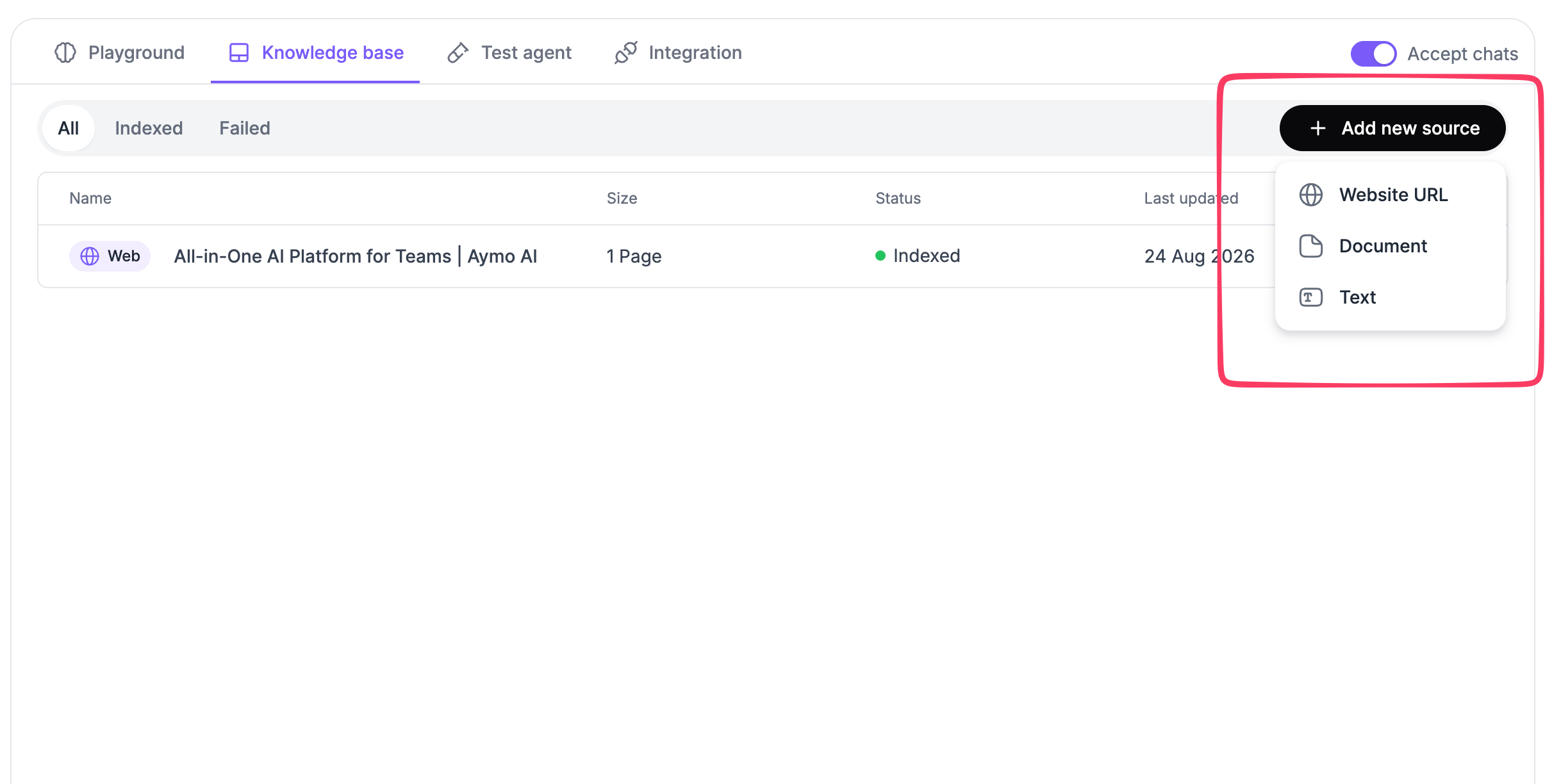
Select Add new source and choose Website URL.
Nivon provides three options:
- Crawl website: Enter a website URL and let Nivon crawl its content.
- Sitemap: Add a sitemap to import pages from your site.
- Single link: Add one specific URL.
Crawl website
Use the Crawl website to add content from a website.
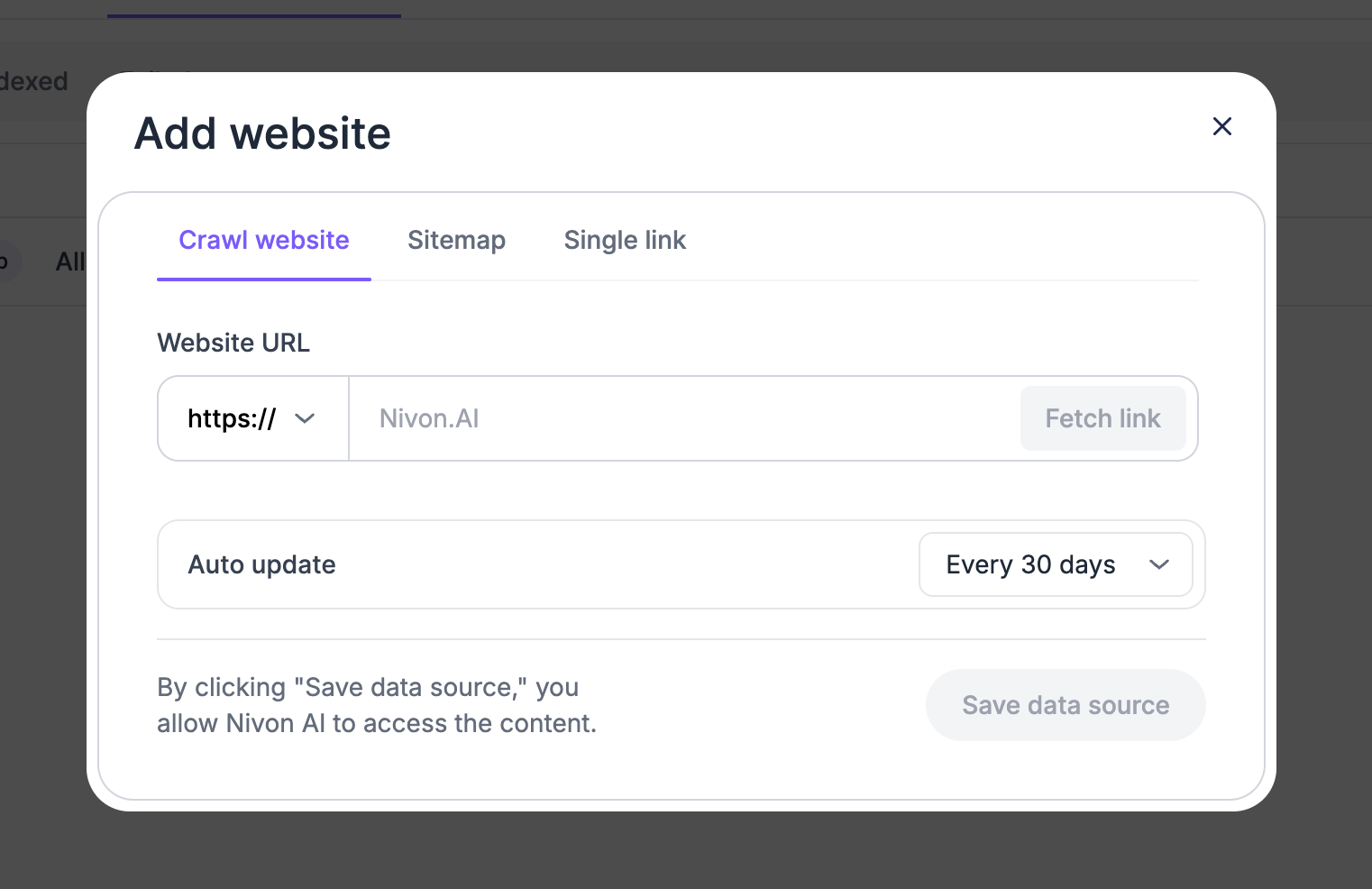
- Enter the website URL.
- Select the Fetch link.
- Review the fetched content.
- Set the Auto update interval.
- Select Save Data Source.
Sitemap
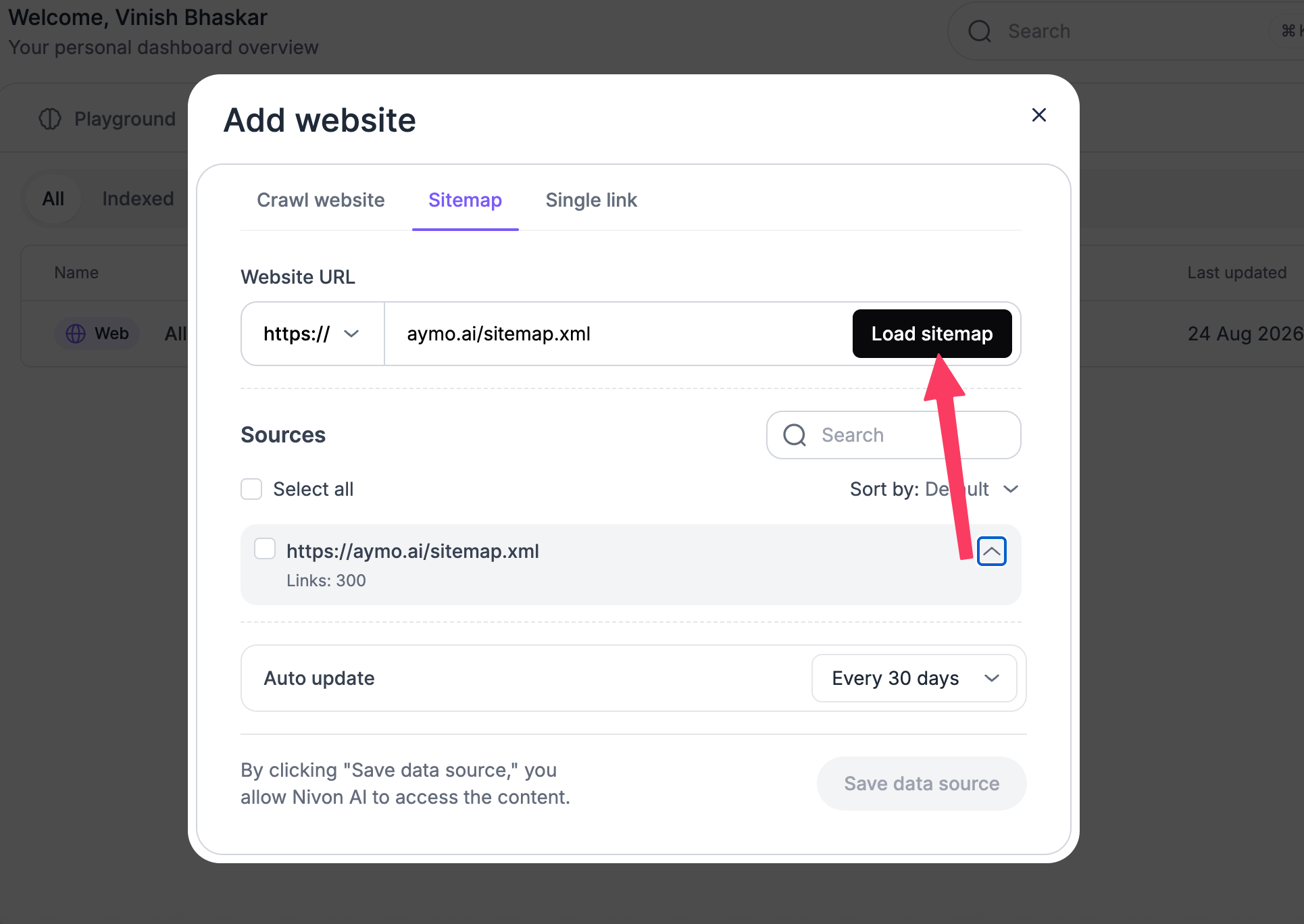
- Use Sitemap to add pages to your website's sitemap.
- Add the sitemap URL and save the data source.
Single link
- Use a single link to add one specific page instead of an entire website.
- Enter the URL and save the data source.
Auto update
Set how often Nivon should update website content.
For sources that support automatic updates, select the required update interval when adding the source.
Nivon shows the source status and last updated date in the Knowledge Base.
Last updated: August 19, 2026