FAQs and Text Content
Text sources hold information that does not live on any page. Add FAQs directly, upload them as a file, or paste any other content the agent should know.
Add FAQs and other custom information to your Nivon knowledge base using the Text source or a supported document.
Add FAQs with Text
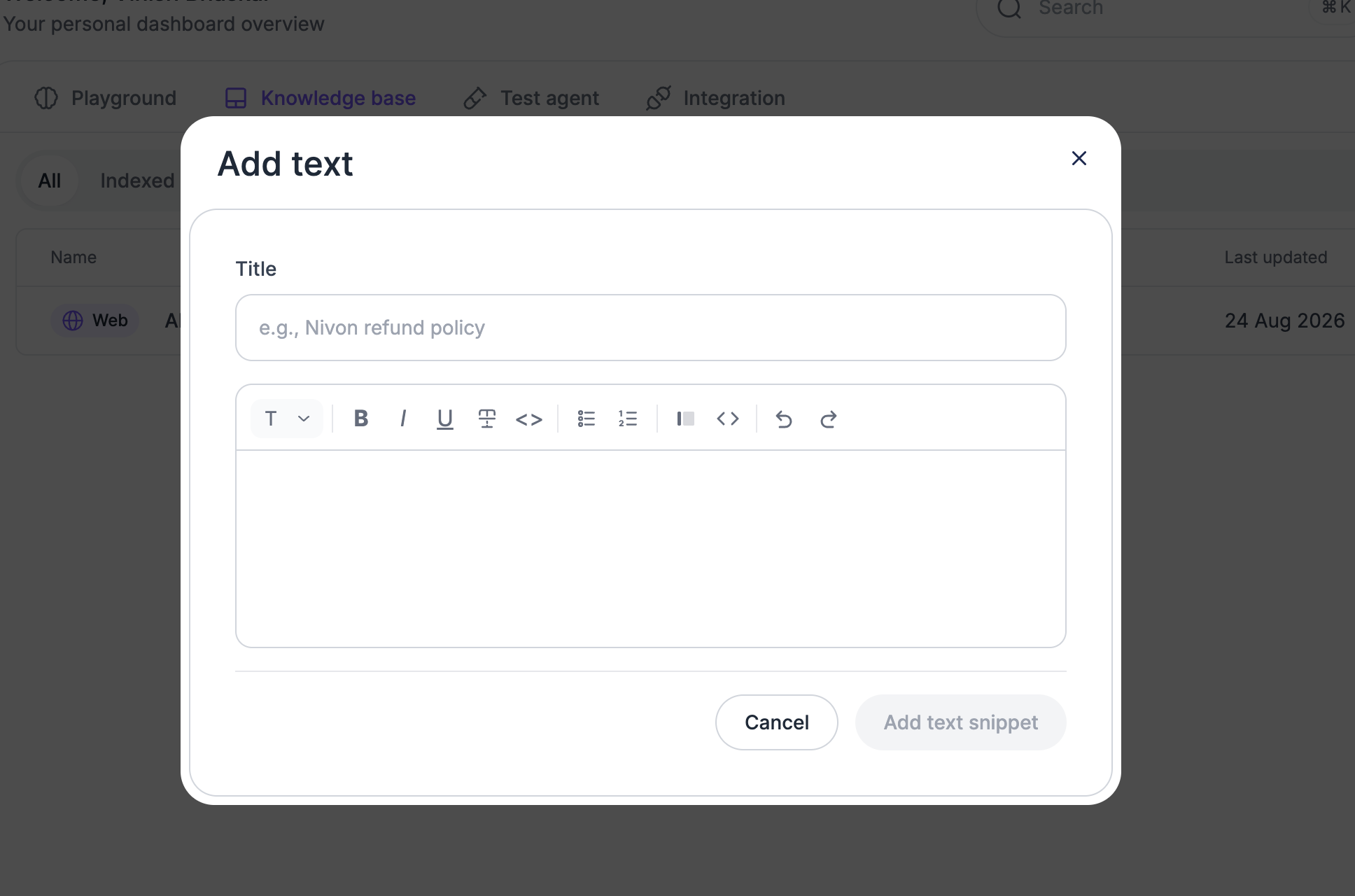
Use the Text source to add FAQs directly to Nivon.
For example:
Frequently Asked Questions

Q: What is your refund policy?

A: Customers can request a refund within 30 days of purchase.

Q: How long does shipping take?

A: Standard shipping takes 3 to 5 business days.
Keep each question and answer clear and focused. Separate unrelated questions so each answer can be understood on its own.
Add FAQ content
- Open Knowledge Base.
- Select Add new source.
- Choose Text.
- Enter a title.
- Add your FAQ content.
- Save the source.
- Wait for indexing to complete.
Add FAQs from a document
You can also add FAQs in a supported document and upload it through the Document source.
Use this option when your FAQs are already stored in a file.
Format the content clearly with each question followed by its answer.
Add other text content
Use the Text source for information that does not need a question-and-answer format.
Examples include:
- Product information
- Policies
- Service details
- Pricing information
- Support instructions
- Internal documentation
Enter a title and the relevant content, then save the source.
Keep your content updated
Update FAQs and text sources when the information changes.
Review pricing, policies, product information, and support instructions regularly to keep the agent's answers aligned with your current content.
Last updated: August 19, 2026