Invoices
Invoices hold the billing history for the account, with a PDF download for each record. Subscription changes and plan limits are handled in Plans and Billing.
View your Nivon billing history and download invoices from Billing and Plans.
View your invoices
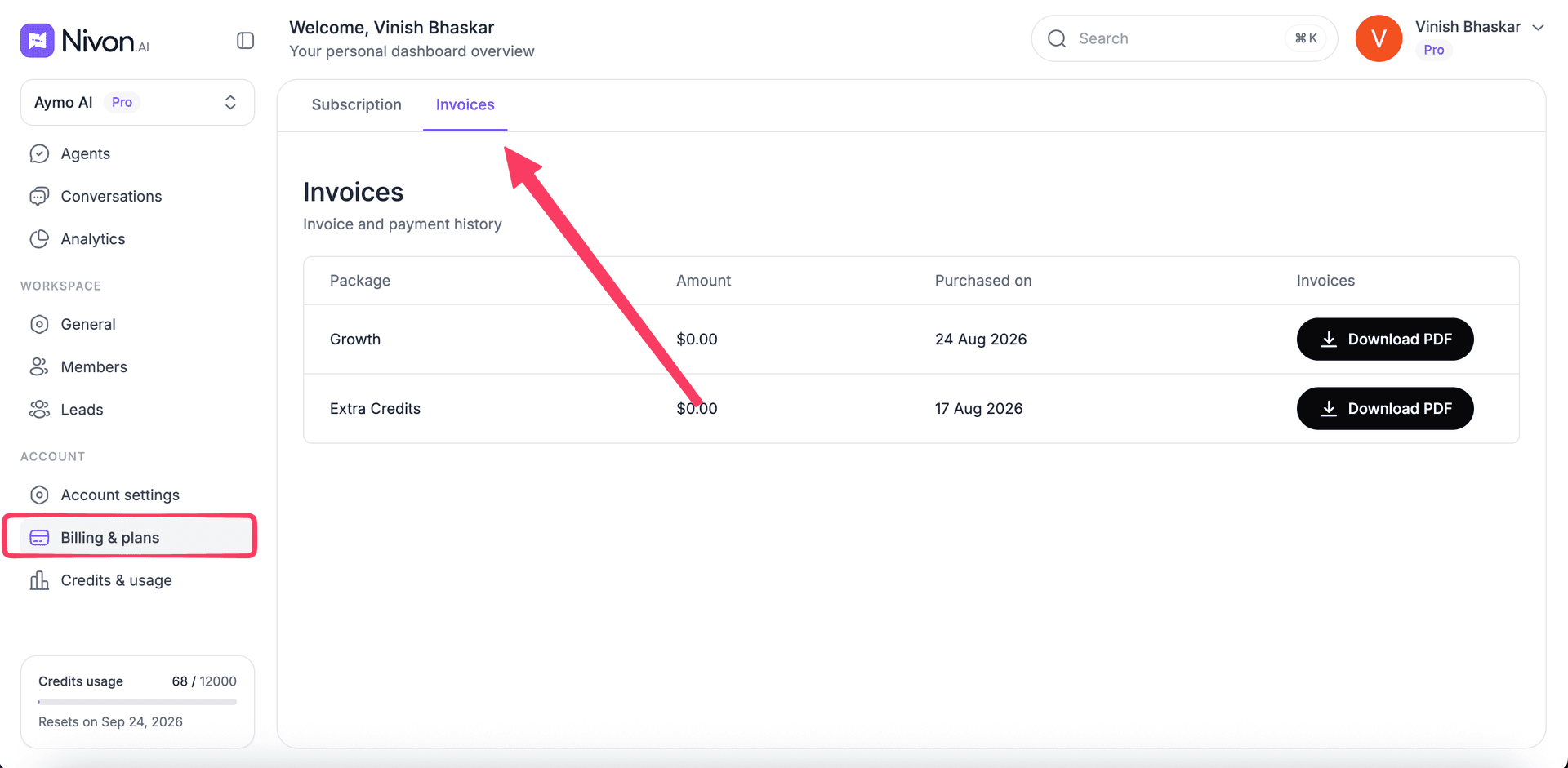
Open Billing & Plans and select the Invoices tab.
The invoice history shows the billing records available for your account.
Each invoice includes:
- Package: The plan or credit package associated with the purchase.
- Amount: The amount charged.
- Purchase date: When the purchase was made.
- Download: Option to download the invoice as a PDF.
Download an invoice
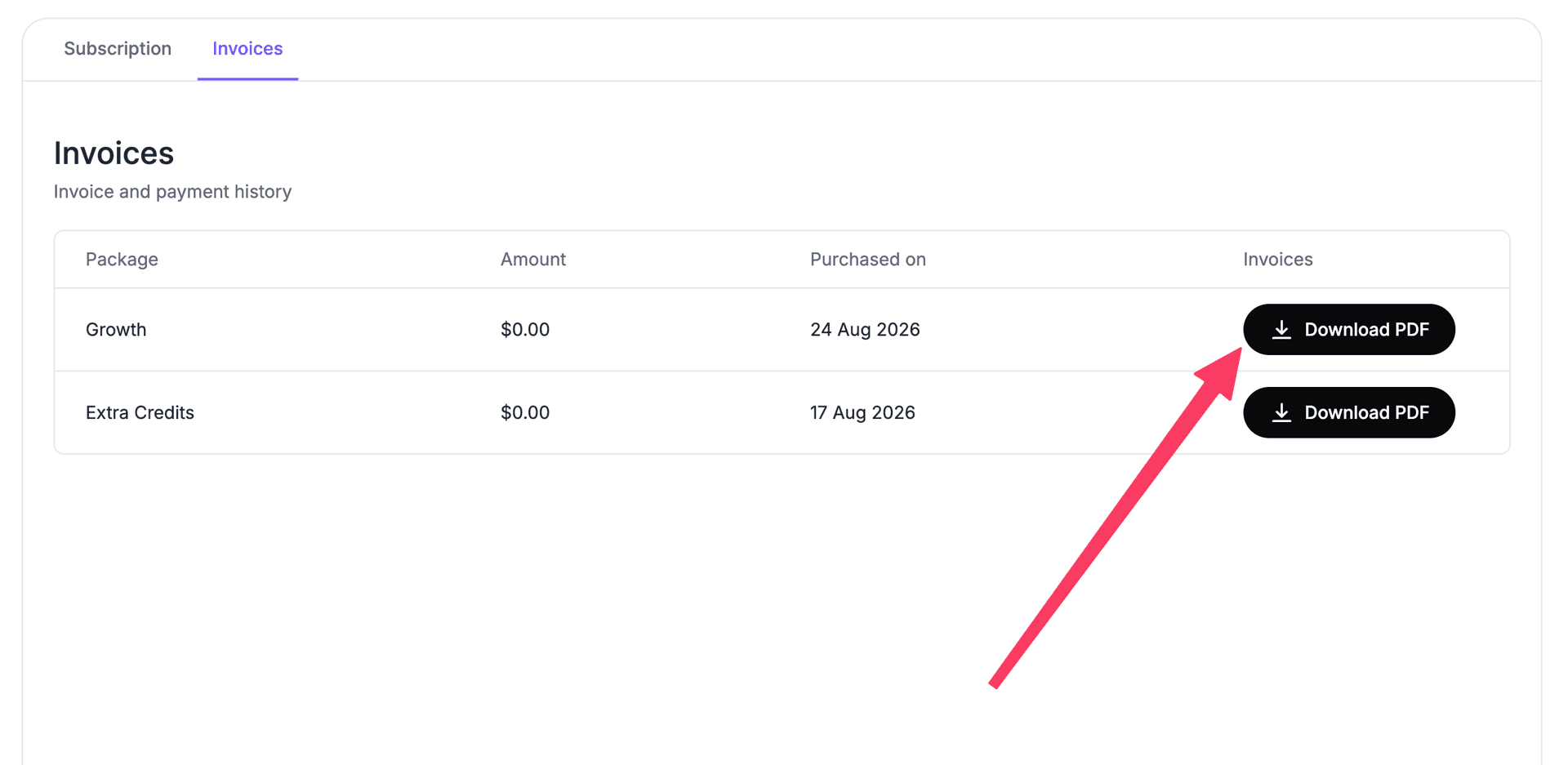
To download an invoice:
- Open Billing & Plans.
- Select Invoices.
- Find the invoice you need.
- Select Download PDF.
The invoice downloads as a PDF file, which you can keep for accounting records, expense tracking, or subscription documentation.
Last updated: August 24, 2026