How Nivon works
Nivon uses your website, docs, files, and past conversations to answer customer questions and hand off conversations it cannot handle to your team.
1. Connect your data
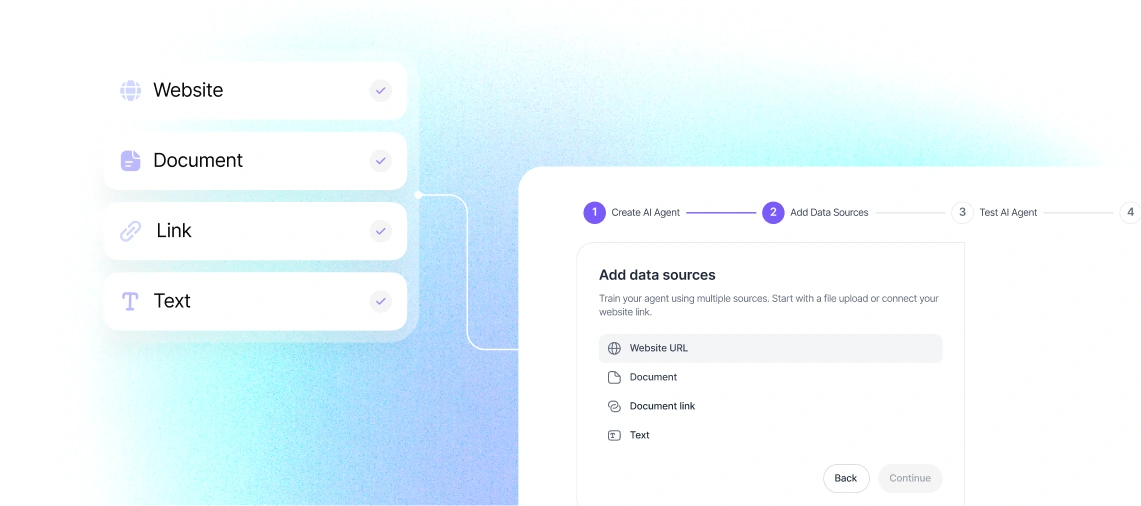
Add the content Nivon should use to answer customers.
- Websites and URLs
- PDFs and documents
- Text
- Past conversations
Nivon crawls and indexes connected content. Website content can also be re-crawled on a schedule.
2. Train and customize
Choose the AI model, tone of voice, and answer length for your agent. Test responses with your own questions before deployment.
3. Answer customer questions
Nivon uses your connected content to answer common customer questions about topics such as pricing, shipping, refunds, account access, and passwords.
4. Hand off when needed
When Nivon cannot handle a conversation, it passes the thread to your team.
5. Deploy on your website
Add Nivon to your website with a script tag. Nivon also provides installation snippets for React, Next.js, WordPress, and Google Tag Manager.
6. Review performance
Use the dashboard to review conversation volume, resolution rate, response time, and customer location. Use these insights to improve your content and agent settings.
Last updated: August 19, 2026