Account Settings
Account Settings covers personal details and sign-in credentials. Workspace name, description, and members are managed separately under Workspace.
Manage the personal information and password associated with your Nivon account from Account Settings.
Update account information
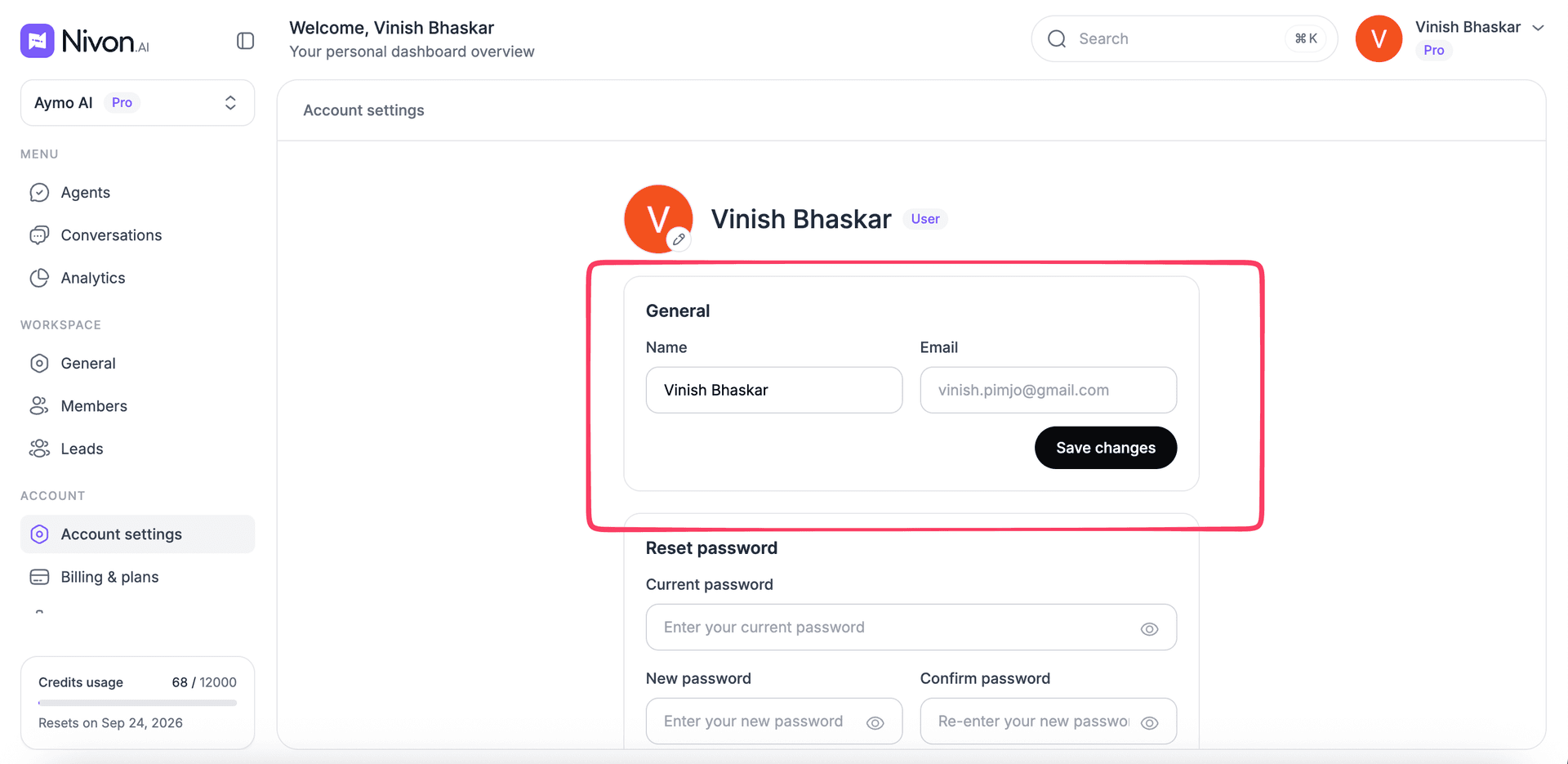
Use the account settings page to update the name associated with your account.
The page also shows the email address linked to the account.
To update your account name:
- Open Account Settings.
- Update the Name field.
- Select Save changes.
Your account email is shown in the same section.
Change your password
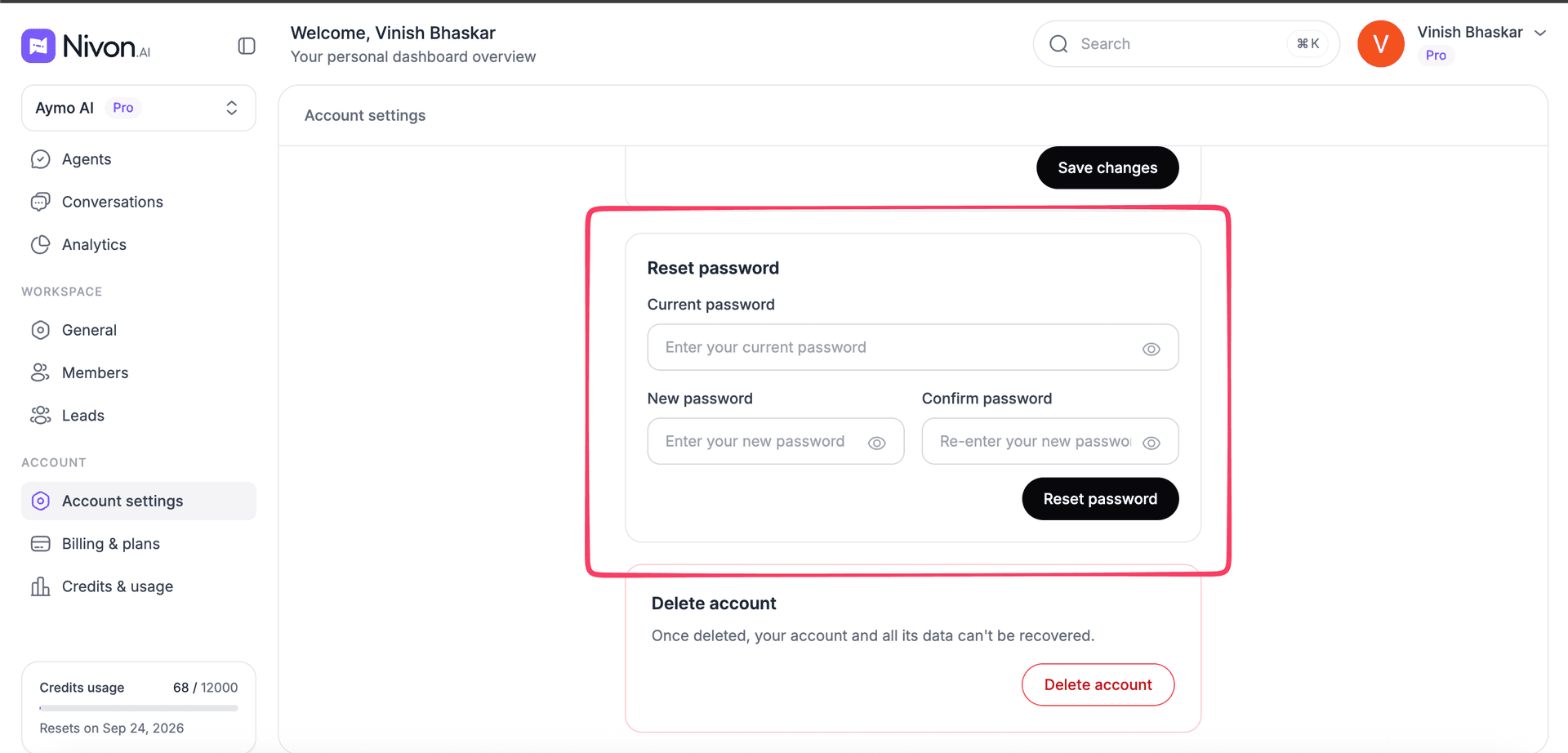
You can change your Nivon account password from Account Settings.
You need to provide:
- Current password
- New password
- Confirm new password
To change the password:
- Open Account Settings.
- Find the password section.
- Enter your current password.
- Enter the new password.
- Enter the new password again to confirm it.
- Save the changes.
Make sure the new password matches the confirmation field before saving.
Forgot your password
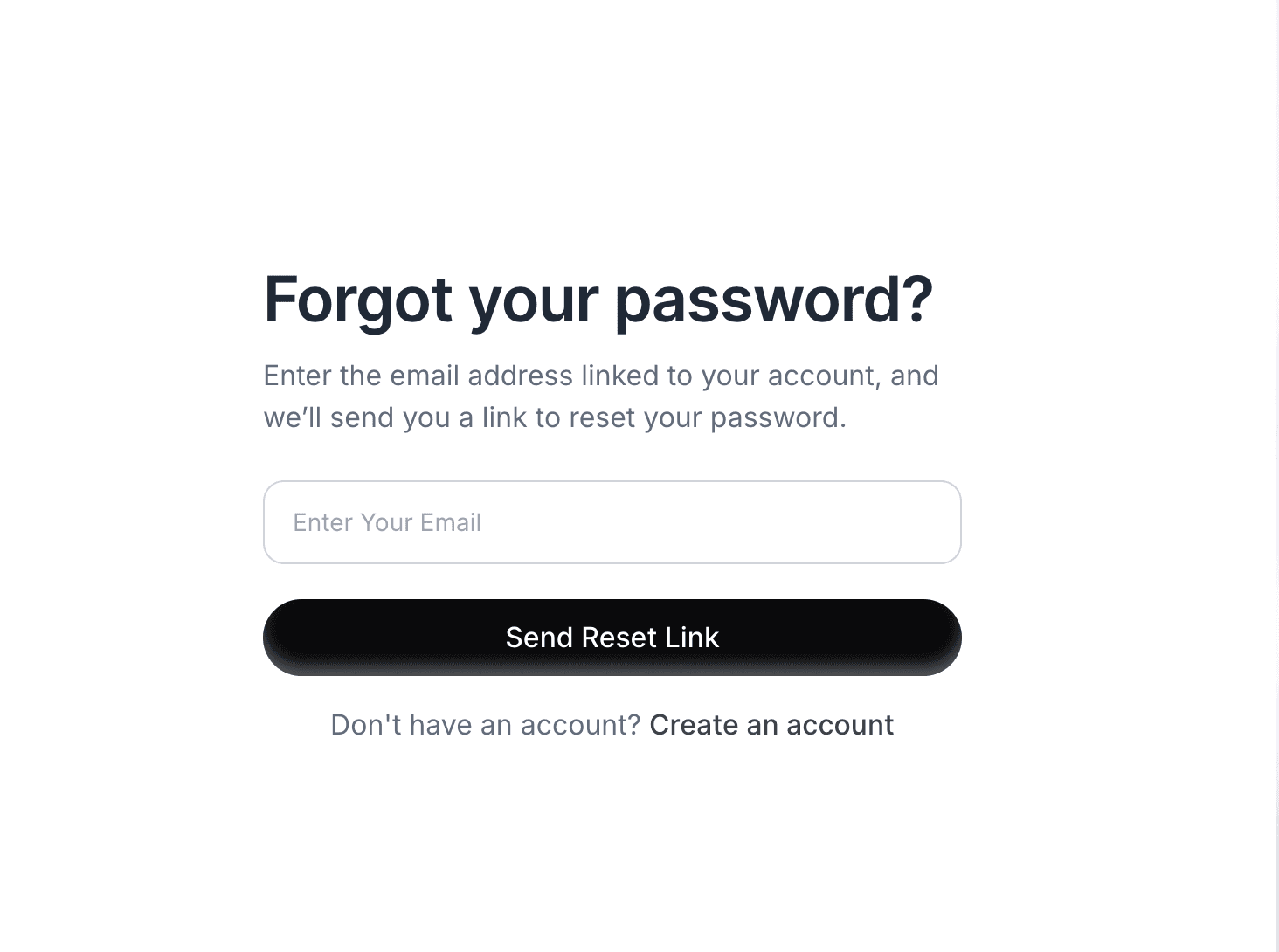
If you cannot sign in because you have forgotten your password, use Nivon’s forgot password option in the sign-in flow.
Use the password reset process instead of changing the password in Account Settings, since doing so there requires the current password.
Last updated: August 24, 2026