Custom Instructions
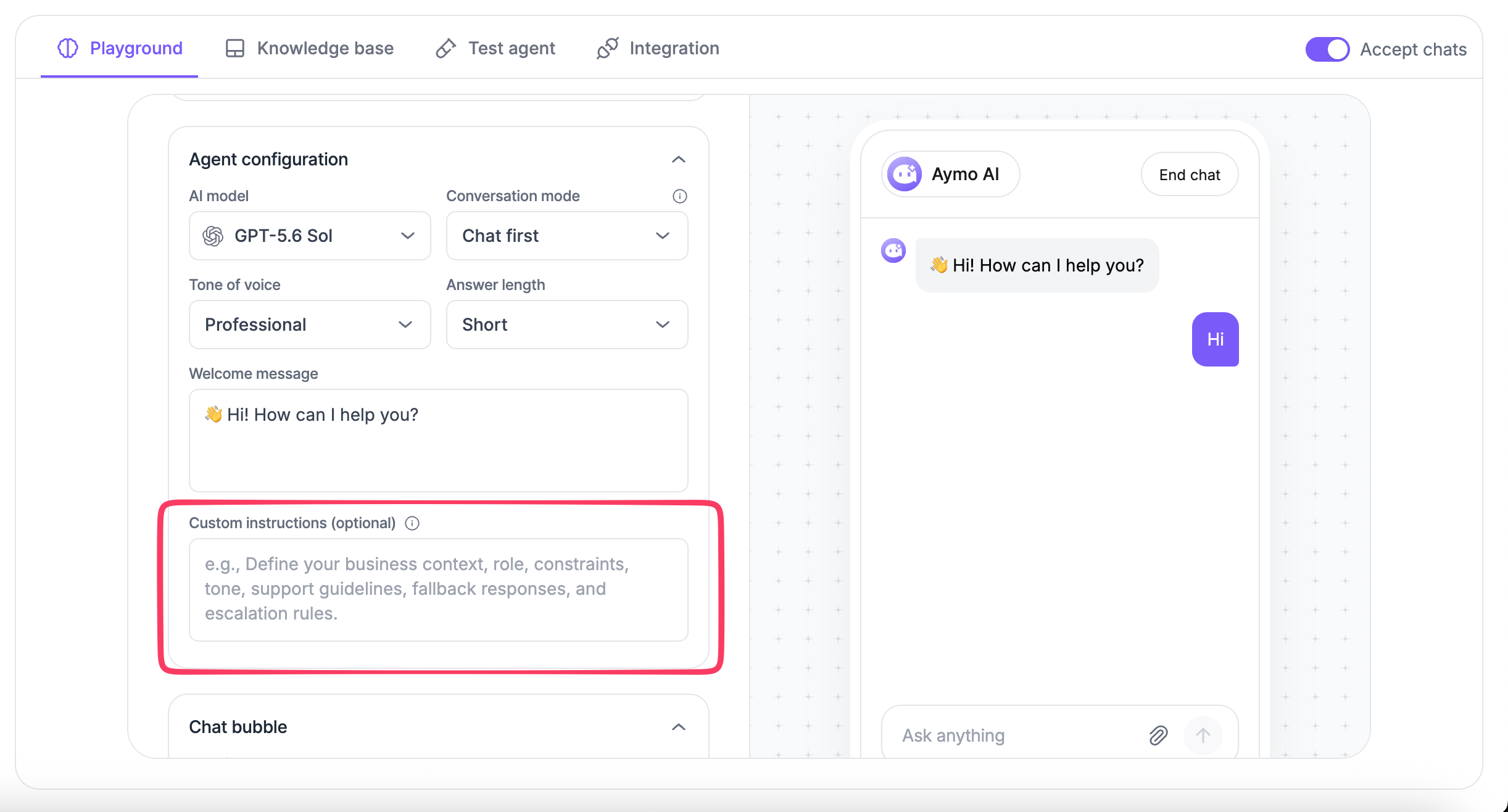
Custom Instructions set behavior that the tone, length, and mode settings cannot cover: what the agent is responsible for, how it phrases answers, and what it refuses.
Use Custom Instructions to define how your Nivon AI agent should respond and handle customer conversations.
What to include
Add instructions that give the agent context or define specific behavior, such as:
- Role: What the agent is responsible for.
- Business context: What your business offers and who it serves.
- Response rules: How the agent should structure and phrase responses.
- Support rules: How specific customer requests should be handled.
- Escalation: When the agent should hand a conversation to your team.
- Restrictions: What the agent should avoid or refuse to answer.
Example
json
You are a customer support agent for Aymo AI.

Help customers with questions about Aymo AI, including AI models, model comparison, file uploads, team collaboration, pricing, subscriptions, and account access.

Use the knowledge available to you when answering questions. If you cannot confirm an answer, say so instead of making one up.

Keep responses clear and concise. Escalate the conversation when human support is required.
Write effective instructions
Keep instructions specific to your agent's role.
Define:
- What the agent should do
- How it should respond
- What it should avoid
- When it should involve your team
Avoid repeating settings already controlled by Tone of Voice, Answer Length, or Conversation Mode unless additional instructions are needed.
Add Custom Instructions
- Open your AI agent.
- Go to Agent Configuration.
- Find Custom Instructions.
- Enter your instructions.
- Save the changes.
Last updated: August 19, 2026