Quickstart
Create and deploy your first Nivon AI customer support agent.
Before you start, have the following ready:
- Your website URL or documentation
- Content you want Nivon.AI to use
- Access to your website for installation
1. Create an agent
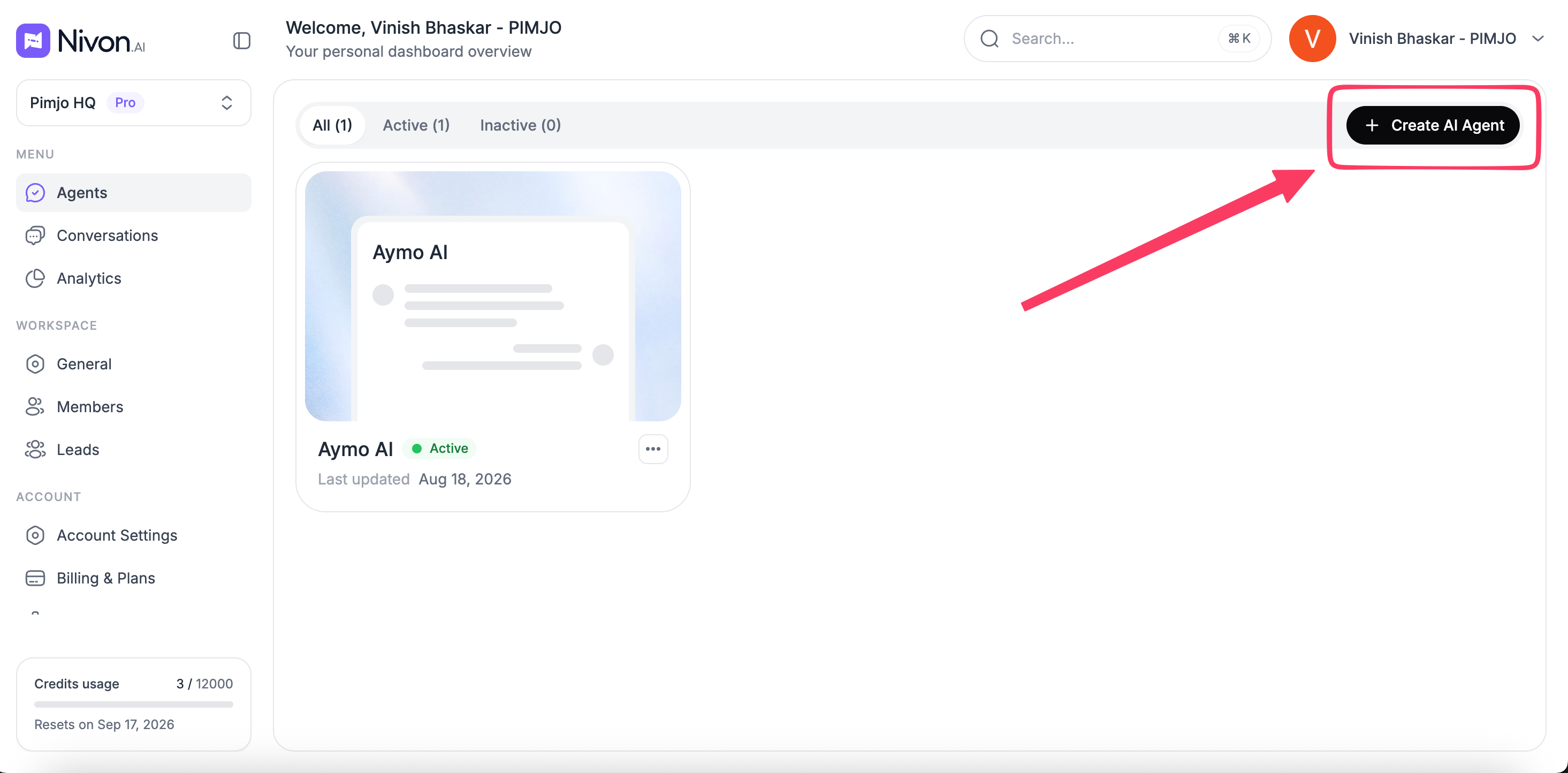
Sign in to Nivon and create a new AI agent.
Enter an agent name and select the settings you want to use.
2. Add your content
Connect the content your agent should use to answer customer questions.
You can add:
- Website URLs
- PDFs and files
- FAQs
- Support tickets
- Text content
Wait for your sources to finish indexing before testing the agent.
3. Configure your agent
Set how the agent should respond.
Configure:
- AI model
- Conversation mode
- Tone of voice
- Answer length
- Custom instructions
- Welcome message
4. Test your agent
Open the playground and ask questions your customers are likely to ask.
Check whether the answers are accurate and based on your content. Update your knowledge or instructions when needed.
5. Deploy Nivon
Add Nivon to your website using the provided installation method.
Once deployed, visitors can interact with your AI agent and get answers based on the content you connected.
6. Monitor conversations
Review conversations to see how Nivon handles customer questions.
Use the conversation history and analytics to identify unanswered questions, improve responses, and understand agent performance.
Last updated: August 19, 2026