Sync and Manage Sources
The Knowledge Base lists every source with its status and last updated date. Some website sources refresh on a schedule; others are updated manually.
Manage your knowledge sources from the Knowledge Base. Check source status, review updates, edit URLs, and remove sources that are outdated or no longer needed.
Check source status
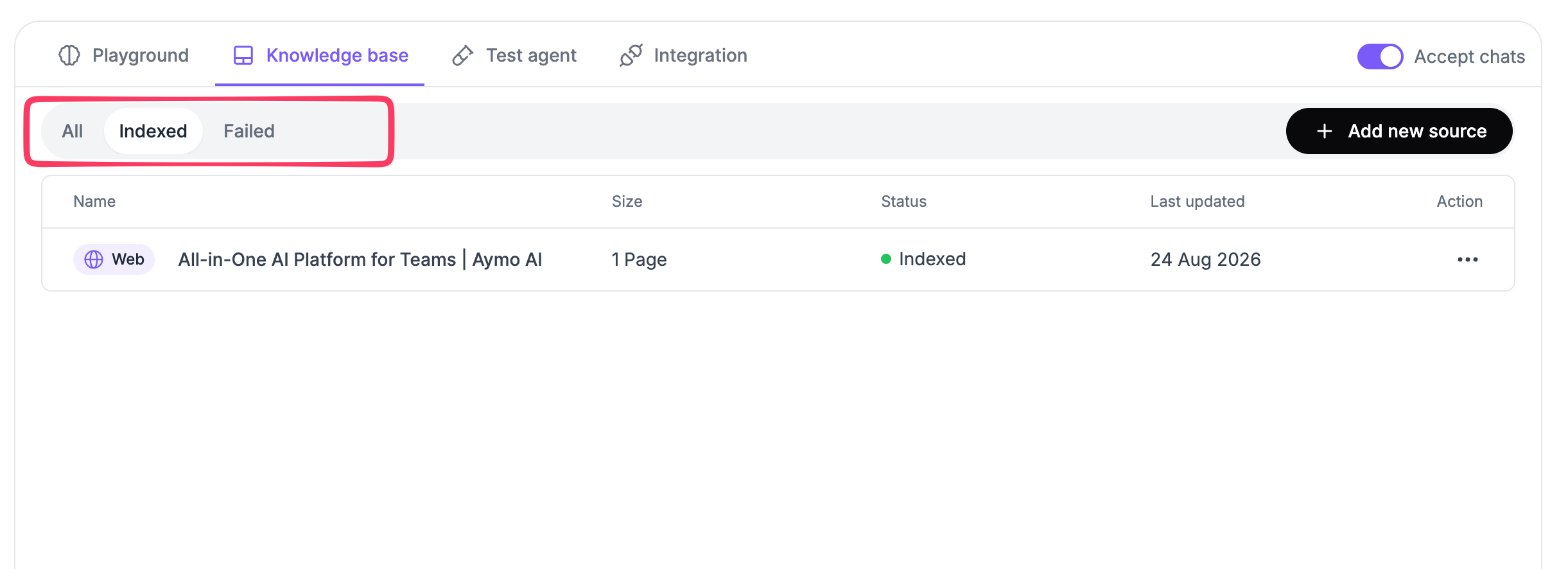
The Knowledge Base shows the status of each source.
- All: View all sources.
- Indexed: View sources that have been indexed successfully.
- Failed: View sources that could not be indexed.
Each source also shows its size, status, and last updated date.
Manage a source
Open the action menu for a source to manage it.
For website sources, you can edit the URL or delete the source.
Set automatic updates
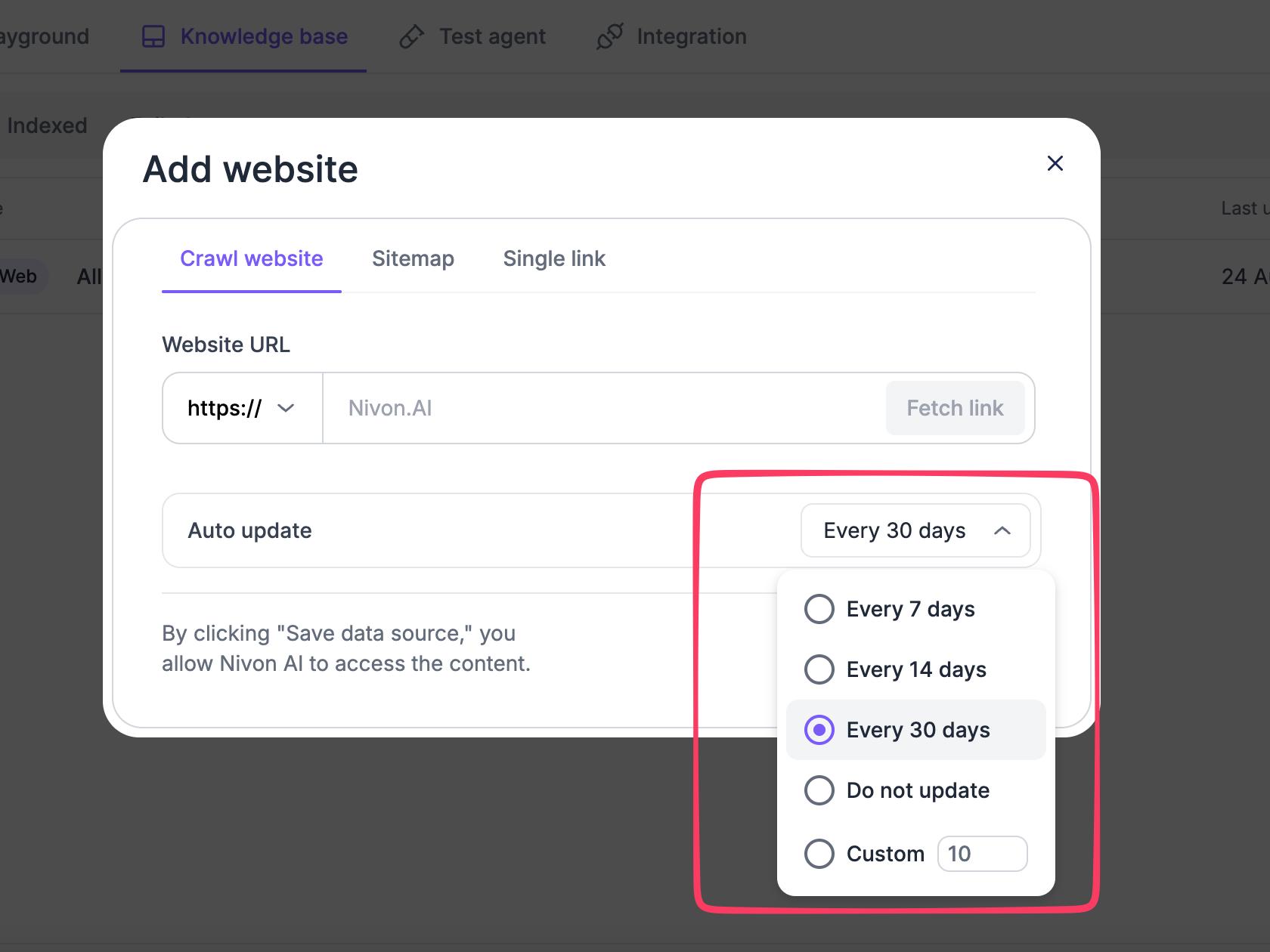
Automatic updates are available for website sources, including crawled websites, sitemaps, and URLs.
When adding or editing a website source, choose an update schedule:
- Every 7 days
- Every 14 days
- Every 30 days
- Do not update
- Custom
Use Custom to set an update interval.
Automatic updates keep website content synchronized with the source without requiring manual updates each time the content changes.
Keep your knowledge base current
Review the Last updated date and source status to monitor your content.
Update or remove sources when the underlying information changes.
Last updated: August 19, 2026