Create chatbot
Create your first AI support chatbot
Set up your chatbot, train it on your website and docs, test it, and add it to your site.
You'll need a Nivon account. Sign up free.
Create your chatbot, configure its settings, add data sources, test it, and connect it to your website.
1. Create your chatbot
Agent Info
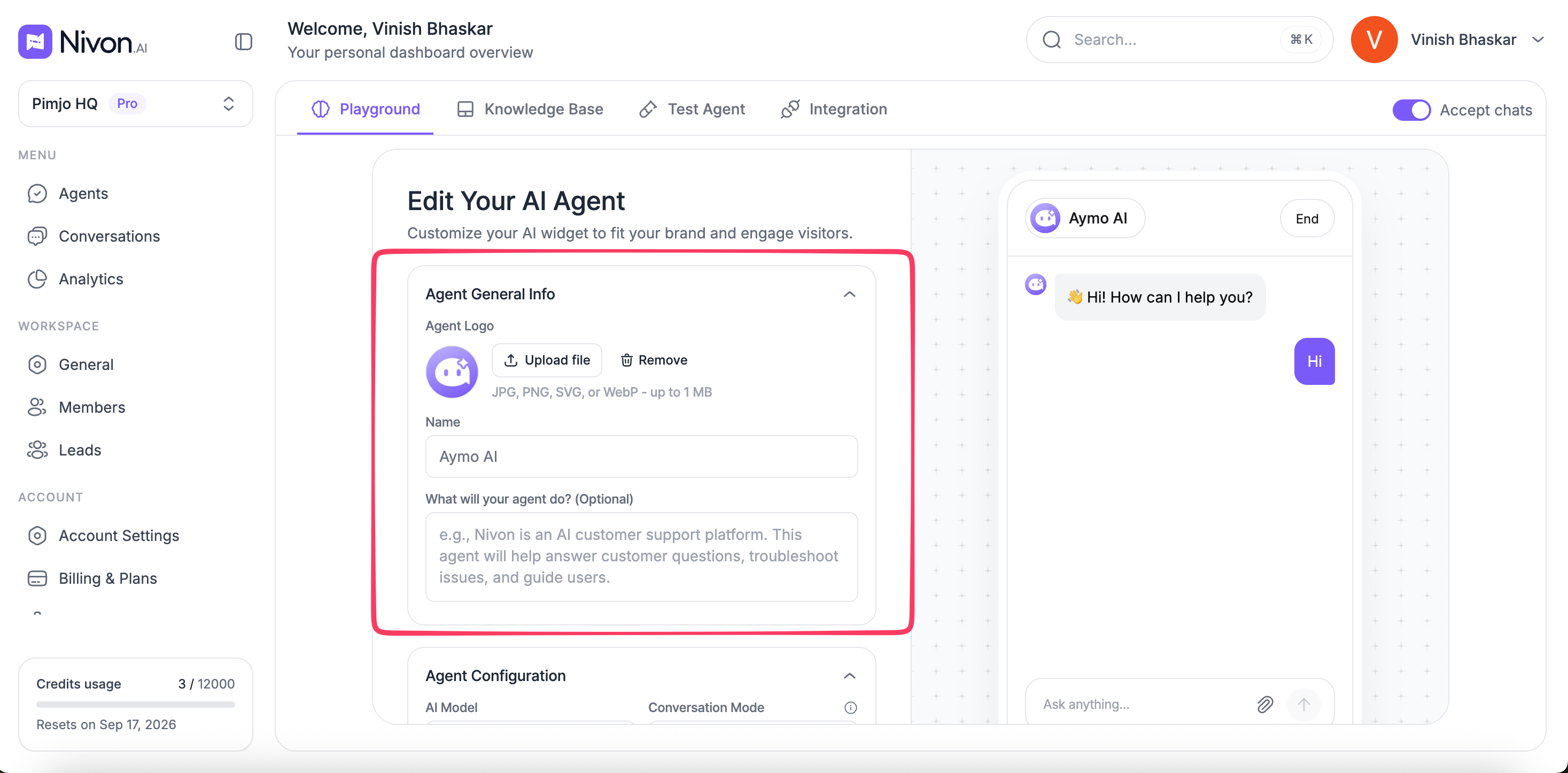
- Agent Logo: Upload a JPG, PNG, SVG, or WebP file up to 1 MB.
- Name: Enter the name visitors will see in the chat.
- What will your agent do?: Describe the chatbot's purpose. This field is optional.
Chatbot Configuration
Configure how your chatbot responds to visitors.
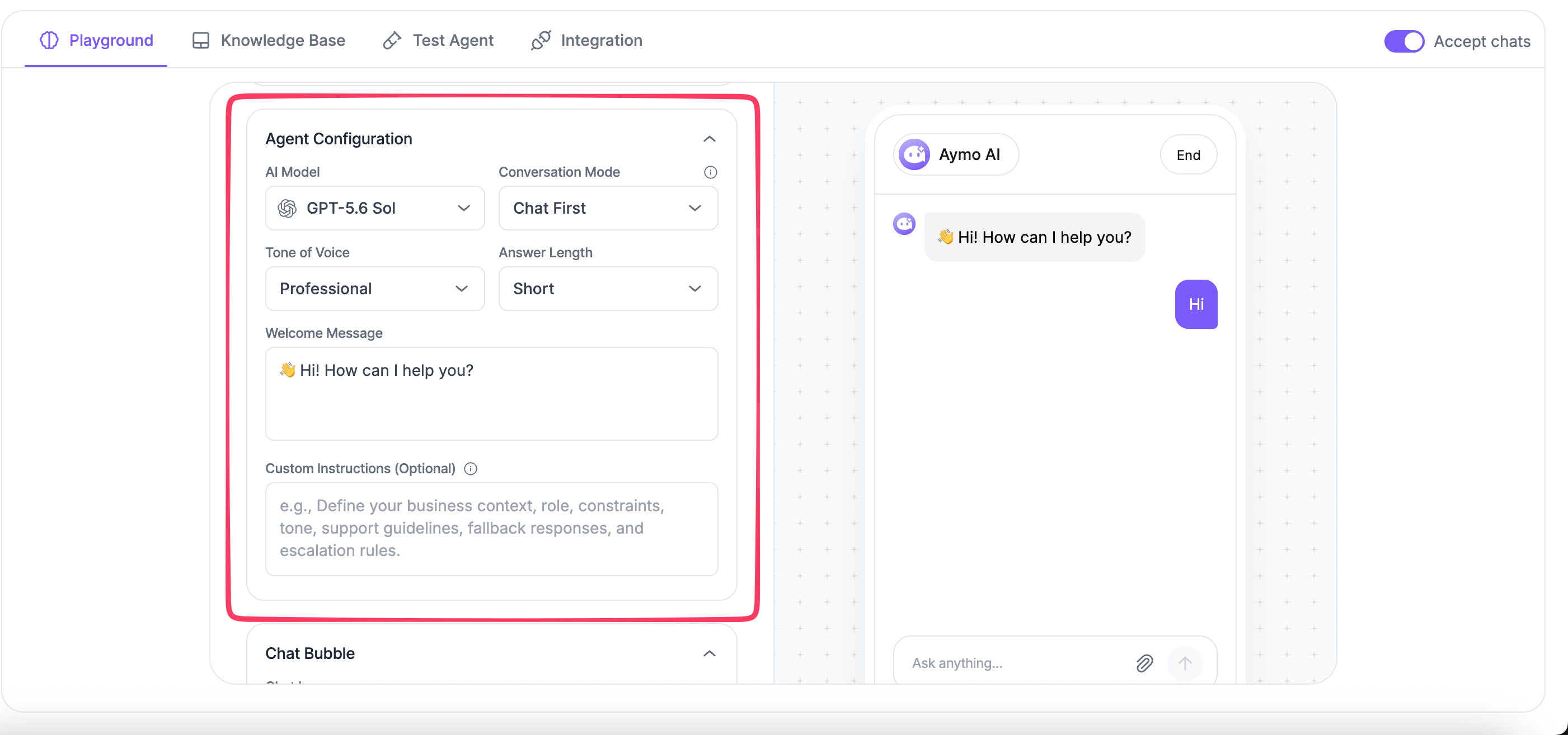
- AI Model: Select the AI model for your chatbot.
- Conversation Mode: Choose Chat First or Lead First.
- Tone of Voice: Choose Friendly, Professional, or Casual.
- Answer Length: Choose Short, Medium, or Comprehensive.
- Welcome Message: Enter the message shown when a visitor starts a conversation.
- Custom Instructions: Add instructions that define how the chatbot should respond and behave.
Chat Bubble
Customize the chat bubble displayed on your website.
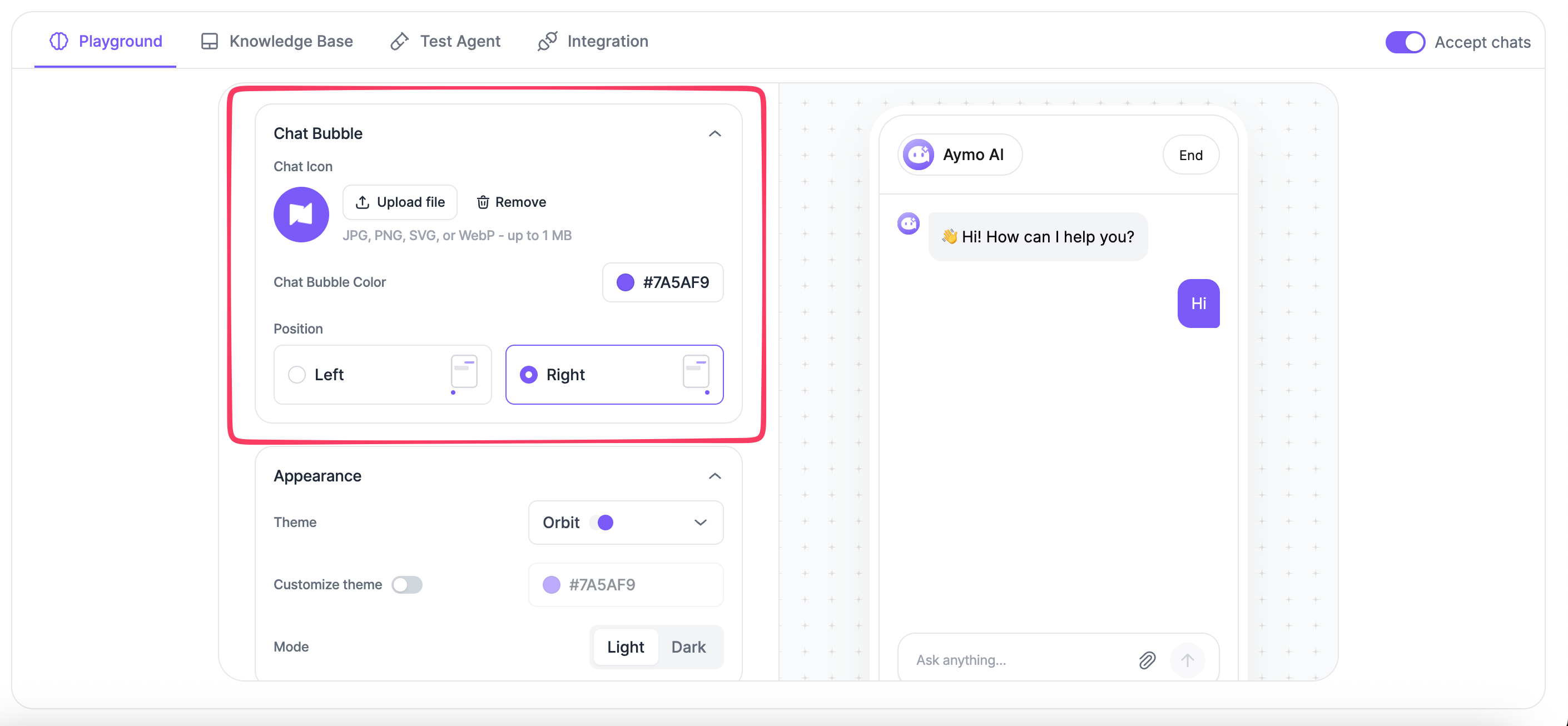
- Chat Icon: Upload a JPG, PNG, SVG, or WebP file up to 1 MB.
- Chat Bubble Color: Choose the color of the chat bubble.
- Position: Choose Left or Right.
Appearance
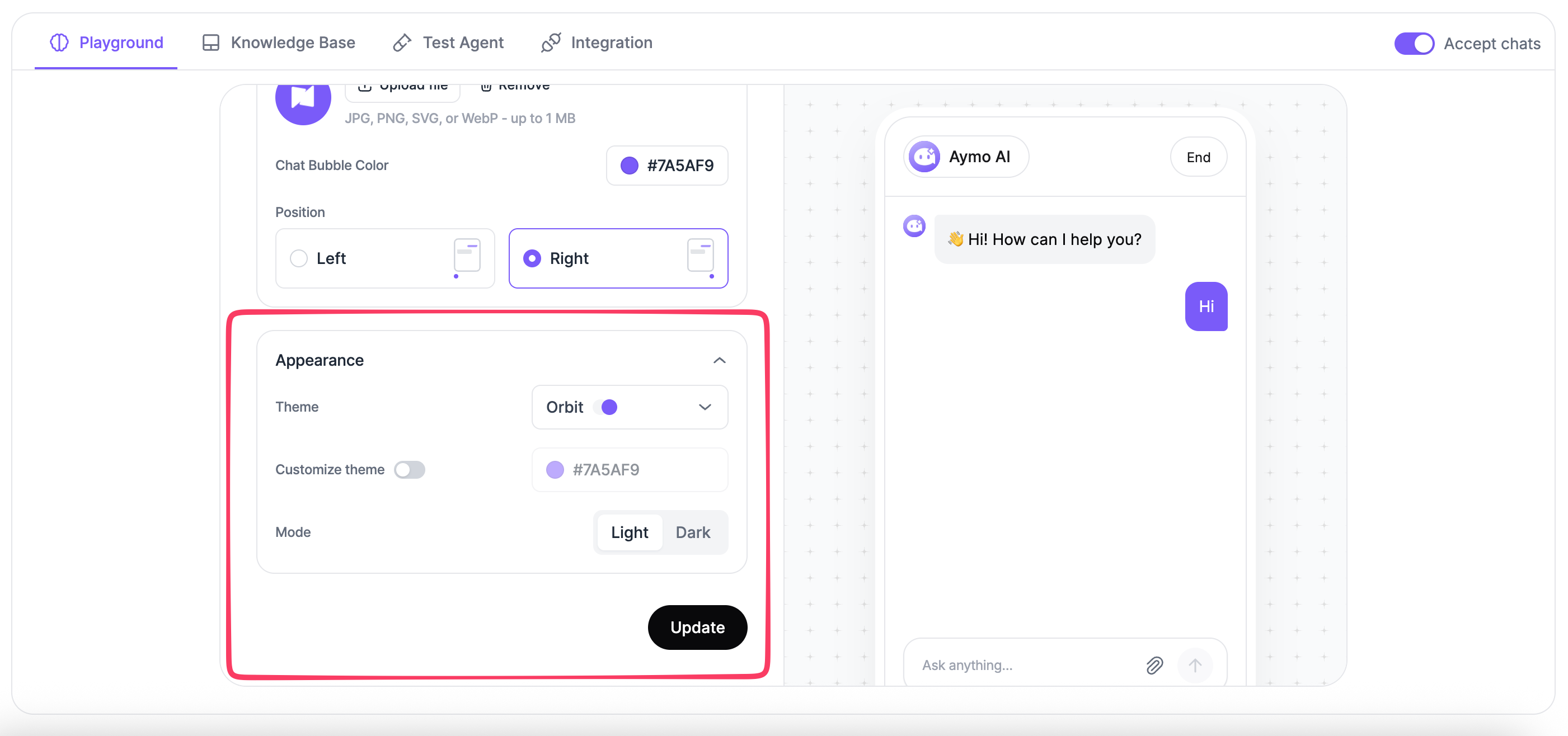
Customize the appearance of the chat widget.
- Theme: Choose a theme for the chat widget.
- Mode: Choose Light or Dark.
Select Create & Continue to continue.
2. Train it on your website and docs
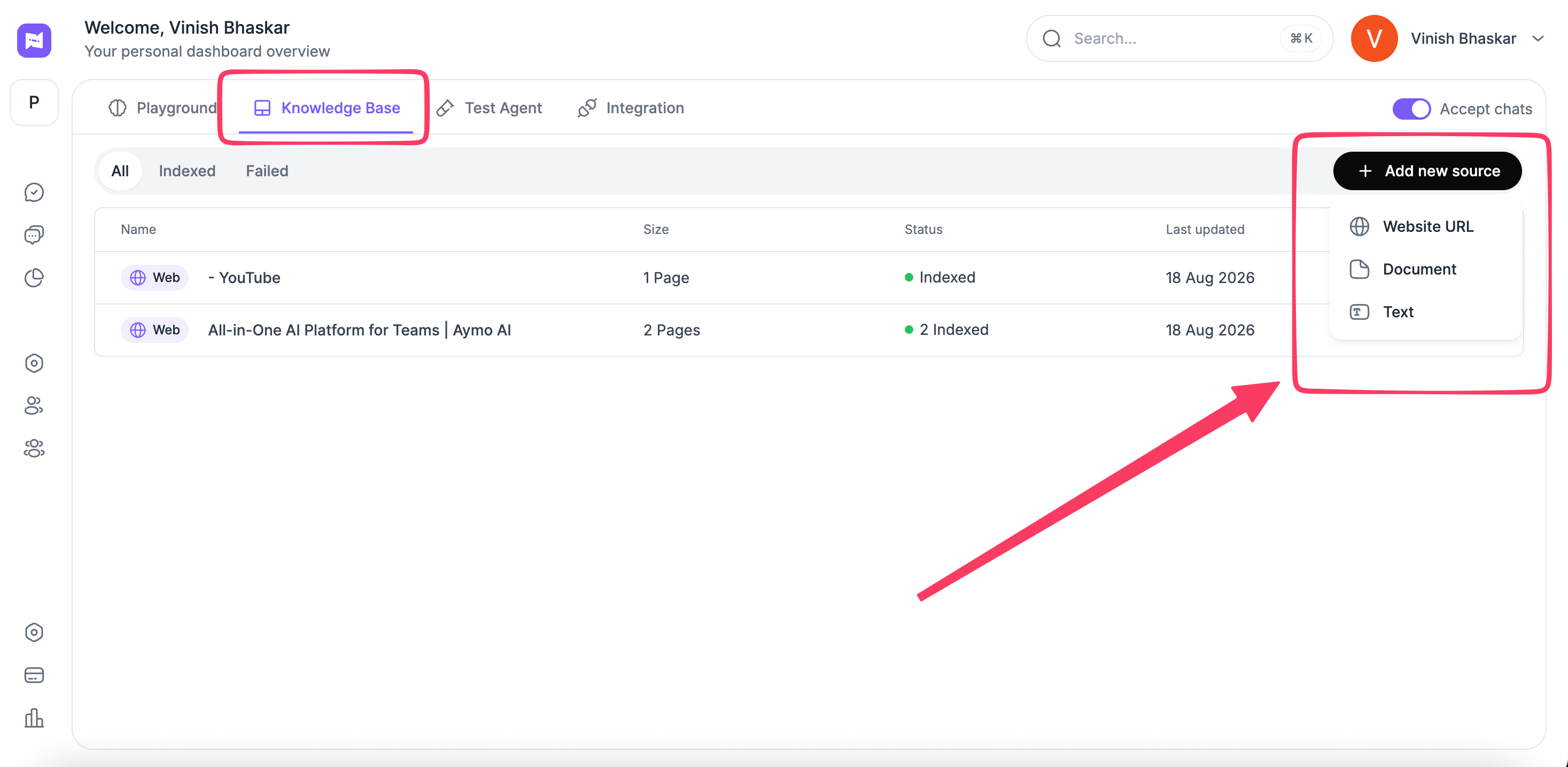
Add the content your chatbot should answer from. Start with your website and help docs. See Build Your Knowledge Base.
- Add your data sources.
- Wait for indexing to complete.
- Review the available sources before testing your chatbot.
3. Test your chatbot
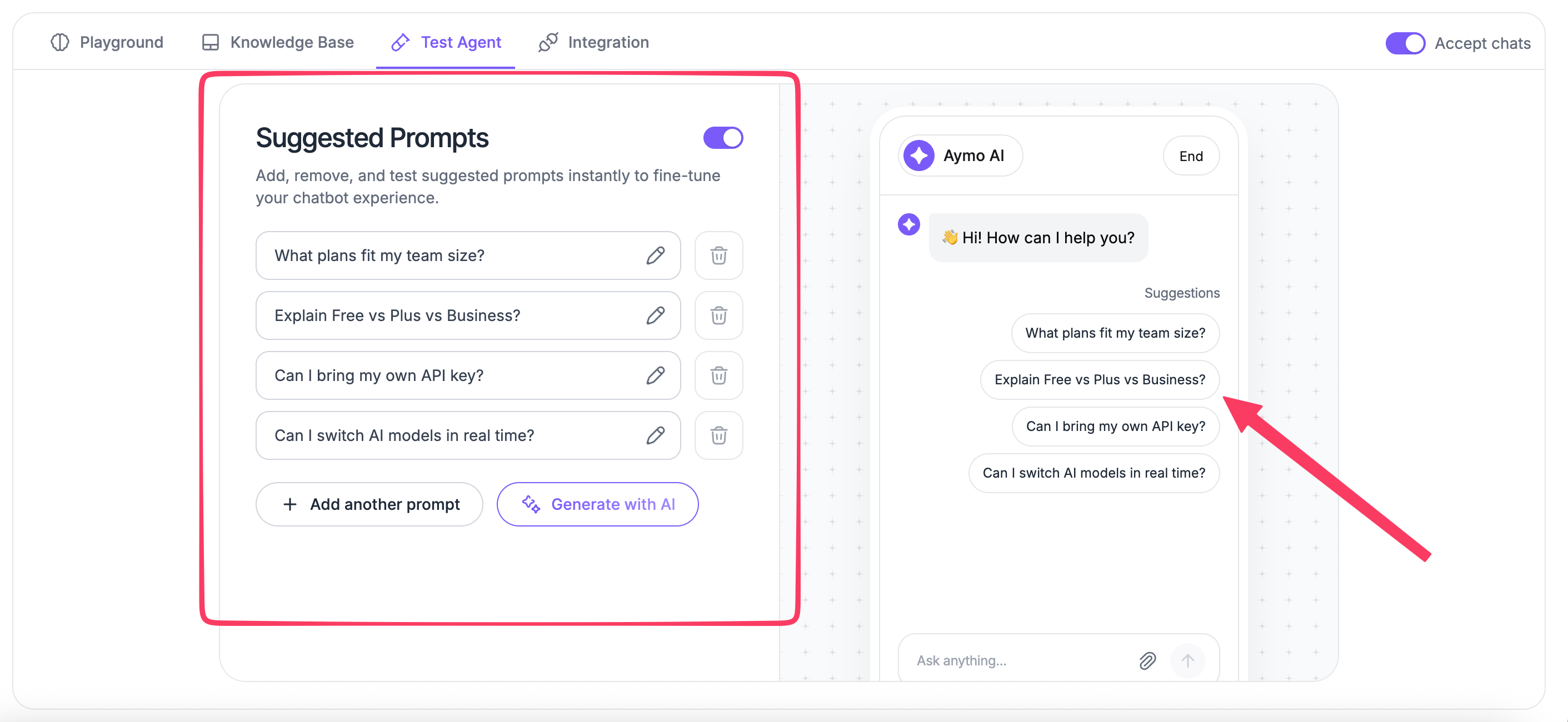
Use the test environment to check how your chatbot responds.
- Ask questions your customers are likely to ask.
- Review the responses.
- Check the answers against your source content.
- Update the chatbot or its data sources when needed.
4. Integrate with your website
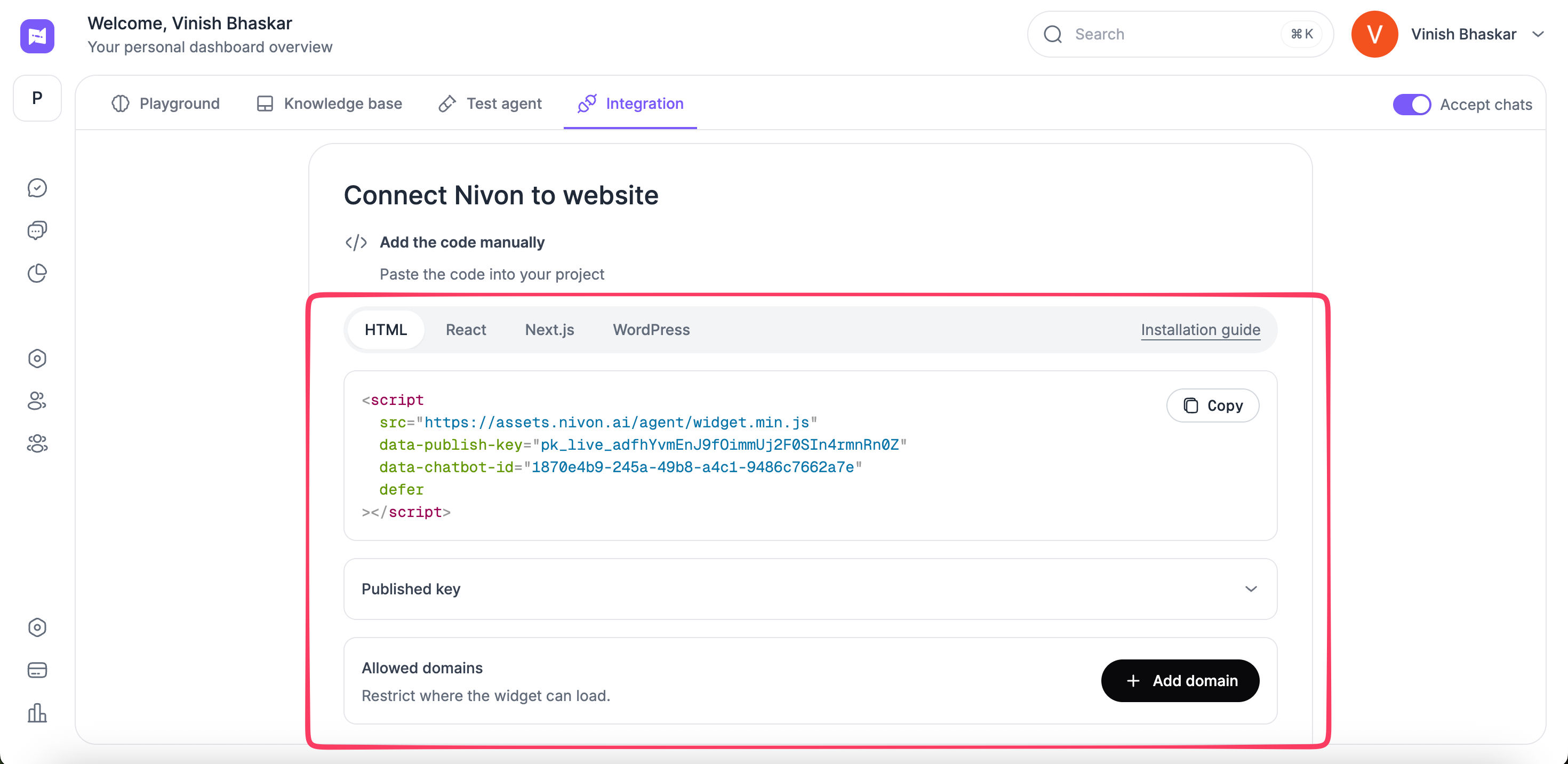
Connect your chatbot to your website using the available integration method.
Follow the installation guide for your platform.
Last updated: October 12, 2026