Manage Conversations
Conversations hold every thread between customers and the AI agent. Escalated conversations are marked Needs human and carry the contact details collected at handoff.
Manage customer conversations, review customer details, and follow up when human support is needed.
Find conversations
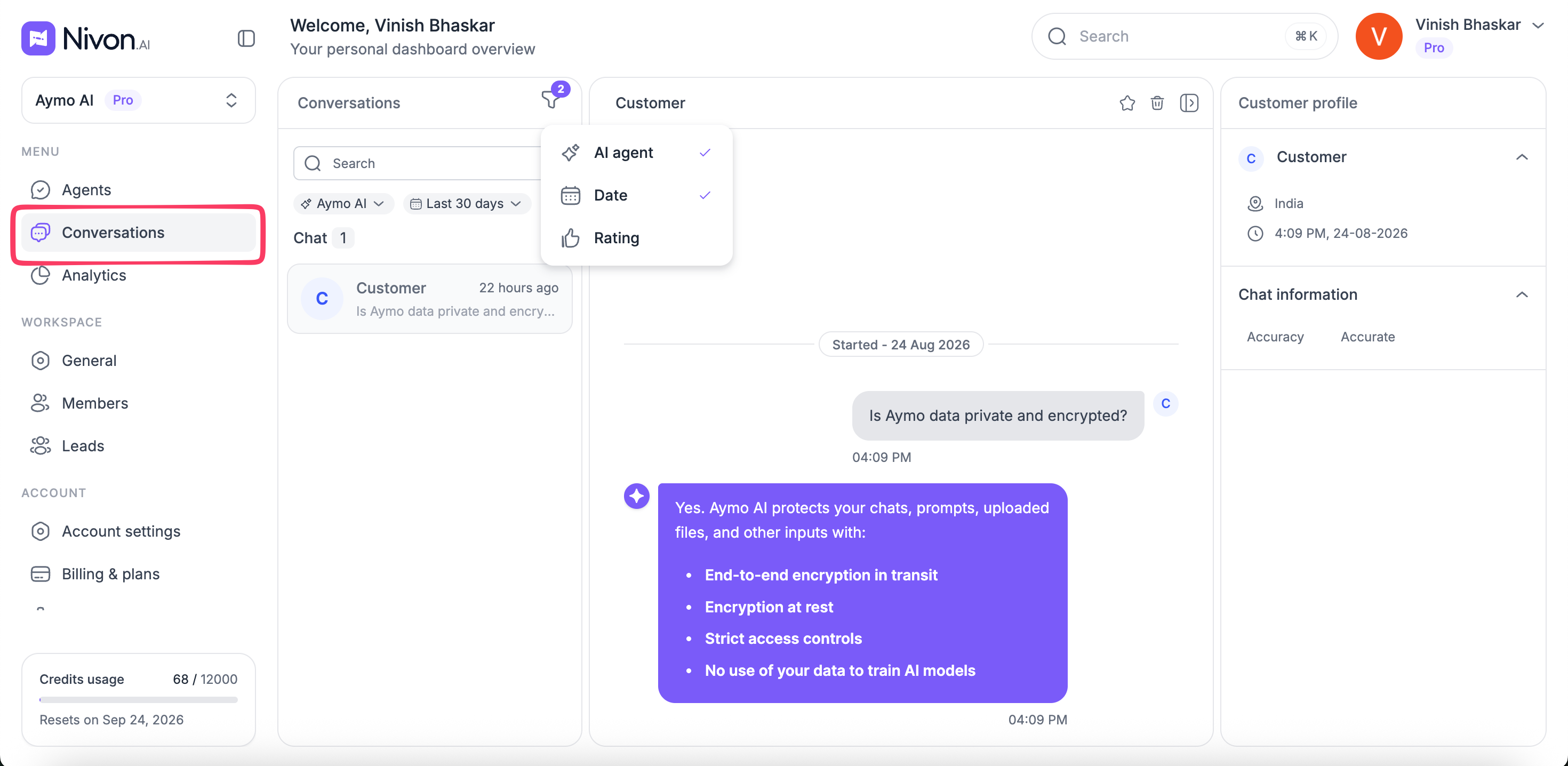
Use the search and filters to find specific conversations.
You can filter conversations by:
- AI agent
- Date
- Today
- Yesterday
- Last 7 days
- Last 14 days
- Last 30 days
- Rating
Review a conversation
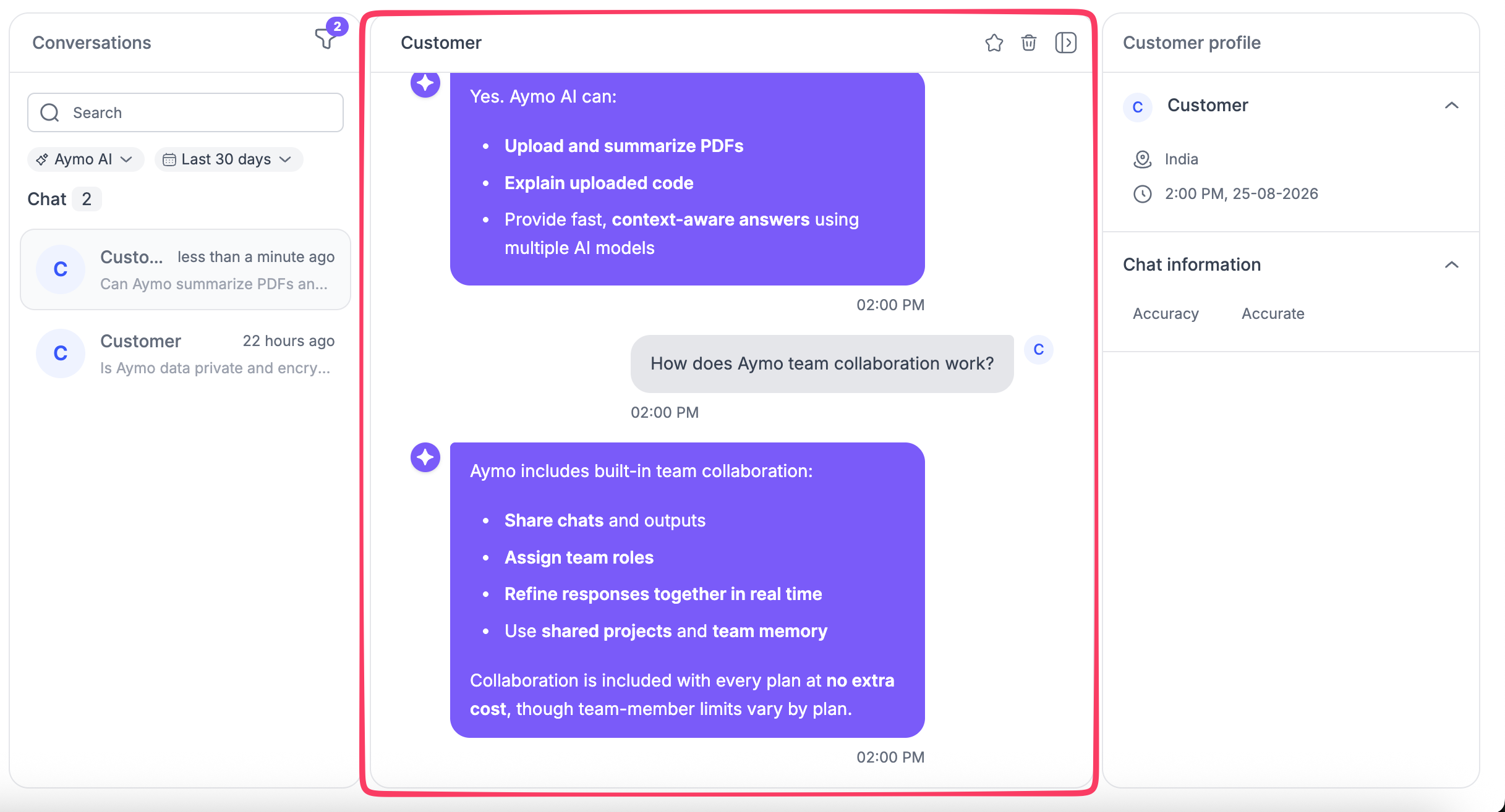
Select a conversation to open its full message history.
The conversation view shows the messages exchanged between the customer and the AI agent. Conversations that require human support are marked Needs human.
View customer details
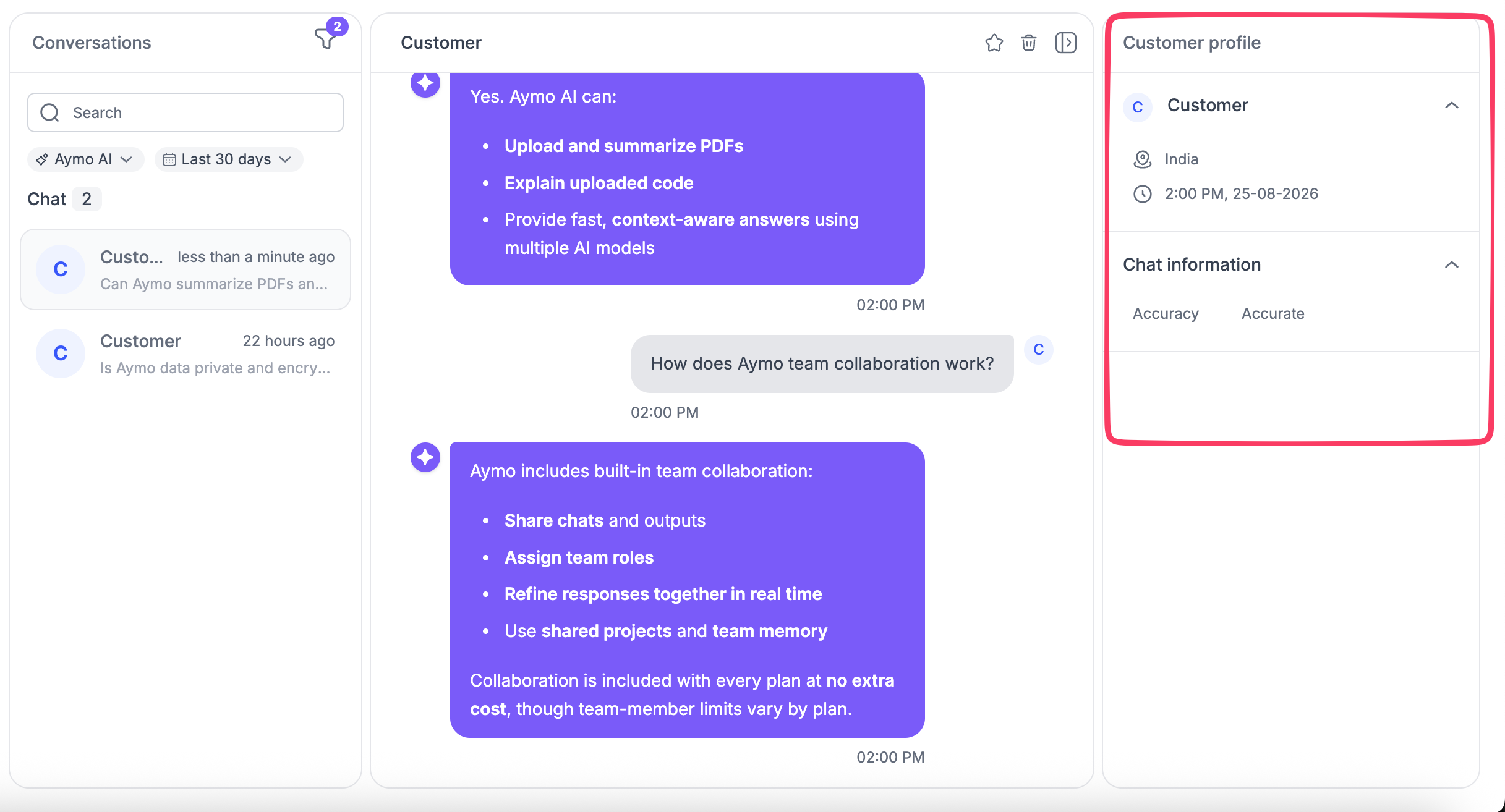
The customer profile shows available information about the visitor, including:
- Name
- Location
- Last activity
Use this information, along with the conversation history, to understand the customer's request before following up.
Follow up with human support
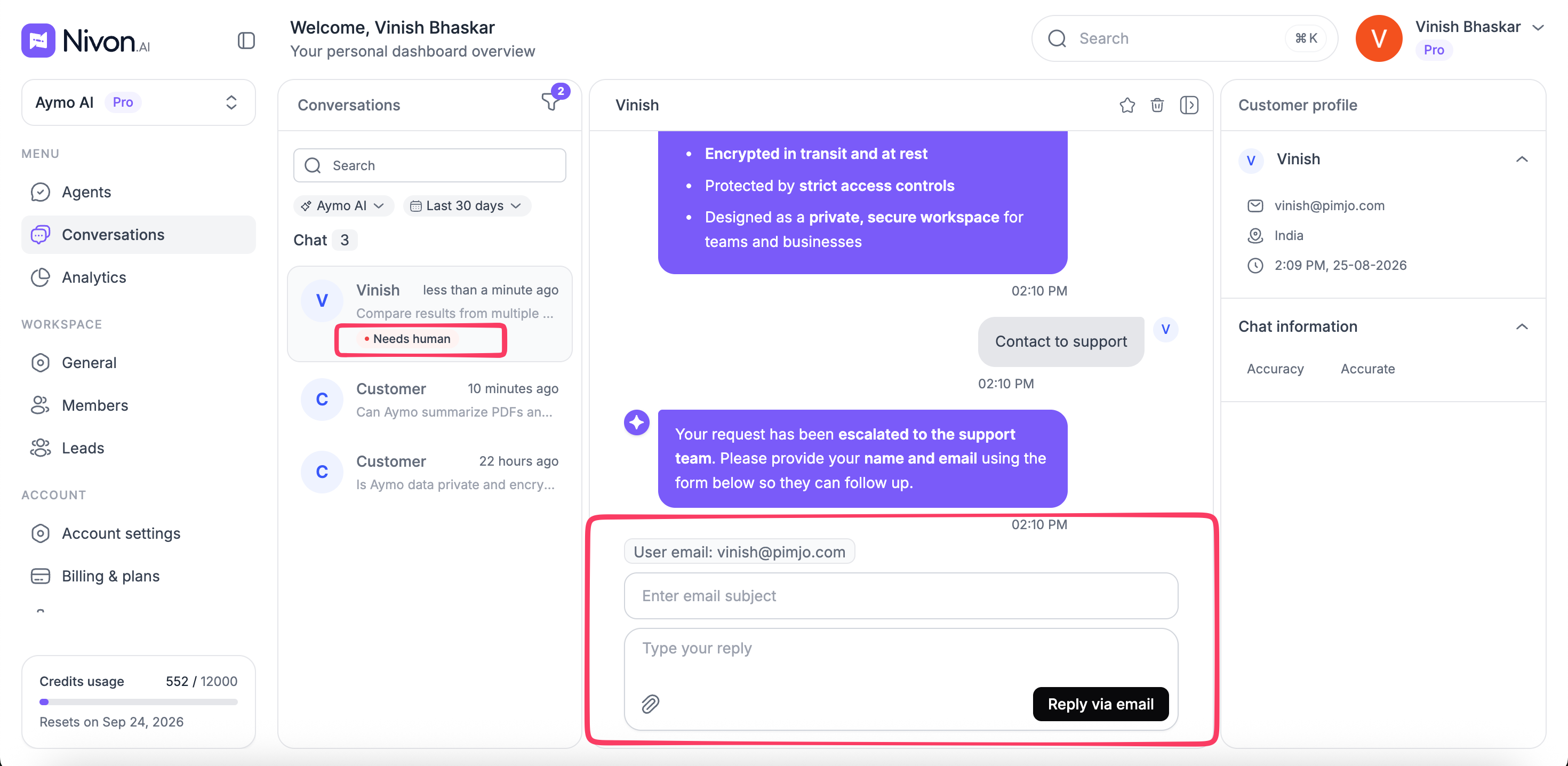
When a conversation is escalated, Nivon asks the customer for their name and email so the team can follow up.
The conversation remains available, along with the collected contact details and the full message history.
Reply to customers
When a conversation requires human support, your team can reply by email from the conversation view.
Enter the:
- Email subject
- Reply
Then select Reply via email.
Conversation actions
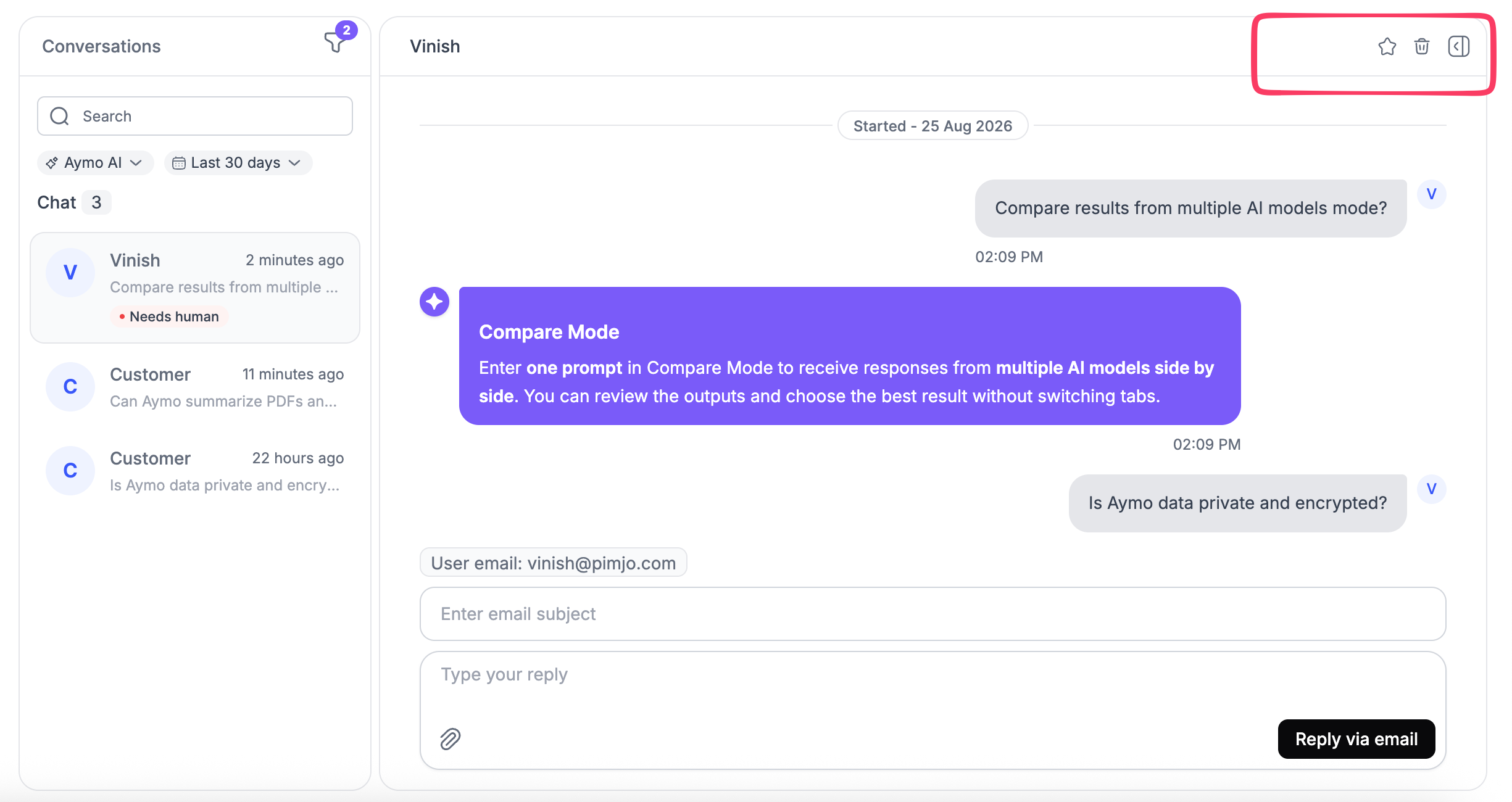
Use the conversation actions to:
- Favorite a conversation
- Delete conversation
Use favorites to keep important conversations easy to find. Delete a conversation when it is no longer needed.
Last updated: August 24, 2026