9 Best Wonderchat Alternatives in 2026
The best Wonderchat alternatives in 2026 compared on message credits, top-up rates, free plans, and what happens when your AI chatbot runs out.
Team Nivon.AI
Sep 17, 2026
Wonderchat is a no-code AI chatbot builder. You point it at your website, documents, PDFs, videos, audio files, or a Zendesk help center, and it builds a widget that answers questions from that content and cites its sources. It also has a voice agent, WhatsApp and SMS channels, and replies in over 40 languages. It holds SOC 2 Type II, hosts in Frankfurt for EU customers, and offers a HIPAA BAA on request.
Wonderchat bills in message credits. Its documentation defines the unit plainly: one AI response equals one message credit. A six-turn conversation costs six credits.
Three rules follow from that. Credits do not roll over, so unused ones expire on your billing date. Test conversations consume the same number of credits as your customers do. And when the balance hits zero, the chatbot pauses and stops responding.
If you are looking for a Wonderchat alternative, this page compares nine of them on pricing, what each one counts as a billable unit, and what happens when you run out.
Quick picks
- Lowest cost per reply: Nivon at about $0.004, compared to Wonderchat Basic's $0.025.
- Best free plan: Nivon. 150 messages a month, compared to Wonderchat's 20, with no expiry.
- Per conversation instead of per reply: eesel AI at $0.40 per ticket, however long the thread runs.
- Cheapest per ticket: My AskAI, at about $0.10-$0.12 on its Scale plan.
- Best for large documentation sets: DocsBot, which lets you bring your own API key.
- Best for voice and telephony: Chatbase, from its Standard plan.
Why teams look for Wonderchat alternatives
Wonderchat does several things its competitors do not. It trains on video and audio files, not just text. It syncs past Zendesk and Freshdesk tickets, which most widgets in this bracket cannot do. Its answers cite the source page. SOC 2 Type II is certified, not in progress; EU hosting is available; and a HIPAA BAA can be arranged. Human handover is included even on the free plan.
Here is what prompts support teams to look for an alternative to WonderChat.
One credit is one AI reply
Wonderchat's credit guide states that one AI response equals one message credit. A customer who asks three follow-up questions costs four credits. A customer who gets it in one costs one.
That means your bill tracks how talkative the conversation is rather than how many problems the chatbot solved. A patient exchange that walks someone through a returns policy costs more than a failed one where the customer gave up.
The resolution figures on the pricing page are estimates
The Basic plan card pairs 5,000 credits with roughly 1,000 resolutions. Work backward, and that assumes about five AI replies per resolved conversation.
If your product requires 8 replies to resolve a question, the same 5,000 credits can handle about 625 conversations. Nothing on the pricing page indicates this. Wonderchat's own case study page prints the rate more directly, starting at $0.02 per message.
Top-up credits cost
The Basic plan works out to about $0.025 per credit. The add-on pack costs $29.99 for 1,000 credits, which is $0.03 each.
Buying extra costs about 21% more per reply than staying inside your plan. Most AI chatbot platforms price the marginal unit below the plan rate, not above it.
| Tool | Plan rate per unit | Top-up rate per unit |
|---|---|---|
| Chatling | $0.0133 | $0.010 |
| SiteGPT | $0.0148 | $0.0118 |
| DocsBot | $0.0099 | $0.0098 |
| Wonderchat | $0.0248 | $0.030 |
| Chatbase | $0.030 | $0.040 |
Stops responding at zero credit
Wonderchat's documentation says the chatbot pauses and stops responding when credits run out. You receive an email and a prompt to upgrade or buy add-ons.
The same documentation page also states that overage billing will apply. Those are two different policies, so confirm which one applies to your account before you rely on either.
Test conversations use credits
Wonderchat's docs say credits are consumed in a live or test conversation. Checking your own chatbot after a knowledge base update draws down the budget you bought for customers.
Pricing page contradicts itself
The $417 plan card lists 25,000 message credits. The comparison table below it lists 15,000 for the same plan. The tier is named Scale on the card and Turbo in the table.
That is a 10,000-credit gap on the plan most growing teams would choose. Ask Wonderchat which number is correct before you sign.
Helpdesk ticket sync requires the $417 plan
Wonderchat syncs past Zendesk and Freshdesk tickets, which is genuinely useful. Helpdesk integrations are on the Scale plan, so the cheapest route to training on your ticket history is $417/month, billed annually.
How to compare these tools
Ask every AI chatbot platform the same questions.
- What counts as one billable unit: a reply, a conversation, or a resolved ticket?
- What happens when the meter hits zero? Does the widget stop, or does it bill overage?
- Do top-up credits cost more or less than the credits in your plan?
- Do unused credits roll over, or expire on your billing date?
- Do test conversations consume your customer budget?
- Which plan lets you train on past support tickets?
- Is the advertised price monthly or annual?
Wonderchat alternatives compared
| Tool | Billable unit | Entry price (monthly) | Cost per unit | At the limit | Free plan |
|---|---|---|---|---|---|
| Nivon | One credit per message | $12 | About $0.004 | Plan limit, no meter | Yes, 150 credits, never expires |
| Chatling | AI credit, weighted by model | $25 | $0.0133 | Buy add-on credits | Yes, 200 credits |
| Chatbase | Message credit | $40 | $0.030 | Auto-recharge at $0.04 | Yes, 50 credits, deleted after 14 days idle |
| DocsBot | AI credit, 1x to 24x by model | $49 | $0.0099 | Bot stops, shows error | Yes, 100 credits, bot expires in 30 days |
| SiteSpeakAI | Message credit | From $29 | About $0.029 | Buy add-on credits | Yes, 30 credits |
| SiteGPT | Message, split by model | $59 | $0.0148 | Buy 5,000-message packs | No, 7-day free trial |
| CustomGPT.ai | Query credit | $99 | About $0.099 | Stops responding | No, 7-day free trial |
| My AskAI | Ticket handled | $199 | $0.199 included, $0.12 over | Overage to 5,000 tickets | No, 30-day free trial |
| eesel AI | Ticket or chat session | No base fee | $0.40 | Spend cap you set | $50 free usage |
| Wonderchat | One AI reply | $124 billed yearly | $0.0248 | Chatbot stops responding | Yes, 20 credits |
The 9 best Wonderchat alternatives
Nivon AI
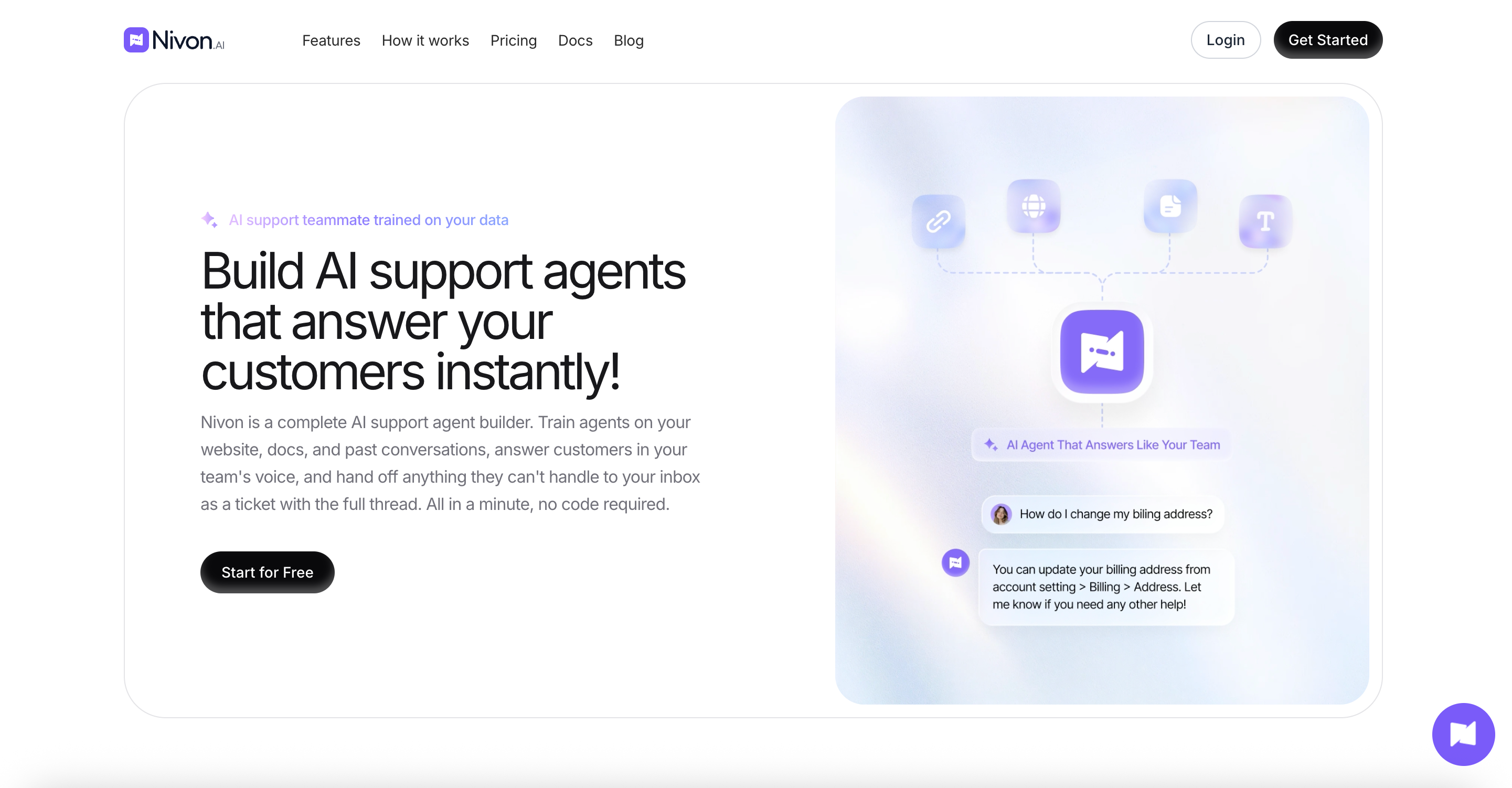
Nivon AI is a no-code AI support agent trained on your website, documents, FAQs, and past support tickets. The agent answers questions from that knowledge base and hands the conversation to your team when it cannot answer. One credit equals one message on any AI model, and your plan sets a monthly allowance rather than a meter that can run dry mid-conversation. Nivon was built by Pimjo, which ran it on its own products for 45 days before release.
Key features:
- Trains on website crawls, sitemaps, documents, Google Drive, OneDrive, FAQs, pasted text, and past support tickets
- 20+ AI models across OpenAI, Anthropic, Google, and xAI, switchable per agent
- Guardrails defining what the agent handles, refuses, never shares, and escalates
- Human handoff carrying the full conversation thread
- Separate workspaces with admin and member roles
- Replies in 95+ languages, with analytics on volume, resolution rate, and response time
Pros:
- About $0.004 per message against Wonderchat Basic's $0.0248
- Past ticket training is available on paid plans, not gated to a $417 tier
- Free plan gives 150 messages against Wonderchat's 20, with no credit card and no expiry
- Seats included up to each plan's limit, with no per-seat pricing
Cons:
- No voice agent, SMS, or WhatsApp channels, which Wonderchat offers
- Does not train on video or audio files
- SOC 2 Type II is in progress. Wonderchat is certified, and it also offers a HIPAA BAA and EU hosting
- No Zendesk or Freshdesk integration
Pricing: Free at $0 with 150 credits a month and 1 team member. Starter is $12 a month, or $9 on annual billing, with 3,000 credits and 3 members. Growth is $39 a month, or $29 annually, with 12,000 credits and 5 members. Business is $79 a month, or $59 annually, with 30,000 credits and 15 members.
Best for: Teams whose cost per reply is the problem. If you need SOC 2 today, a HIPAA BAA, or EU data hosting, Wonderchat has all three, and Nivon does not.
Chatling
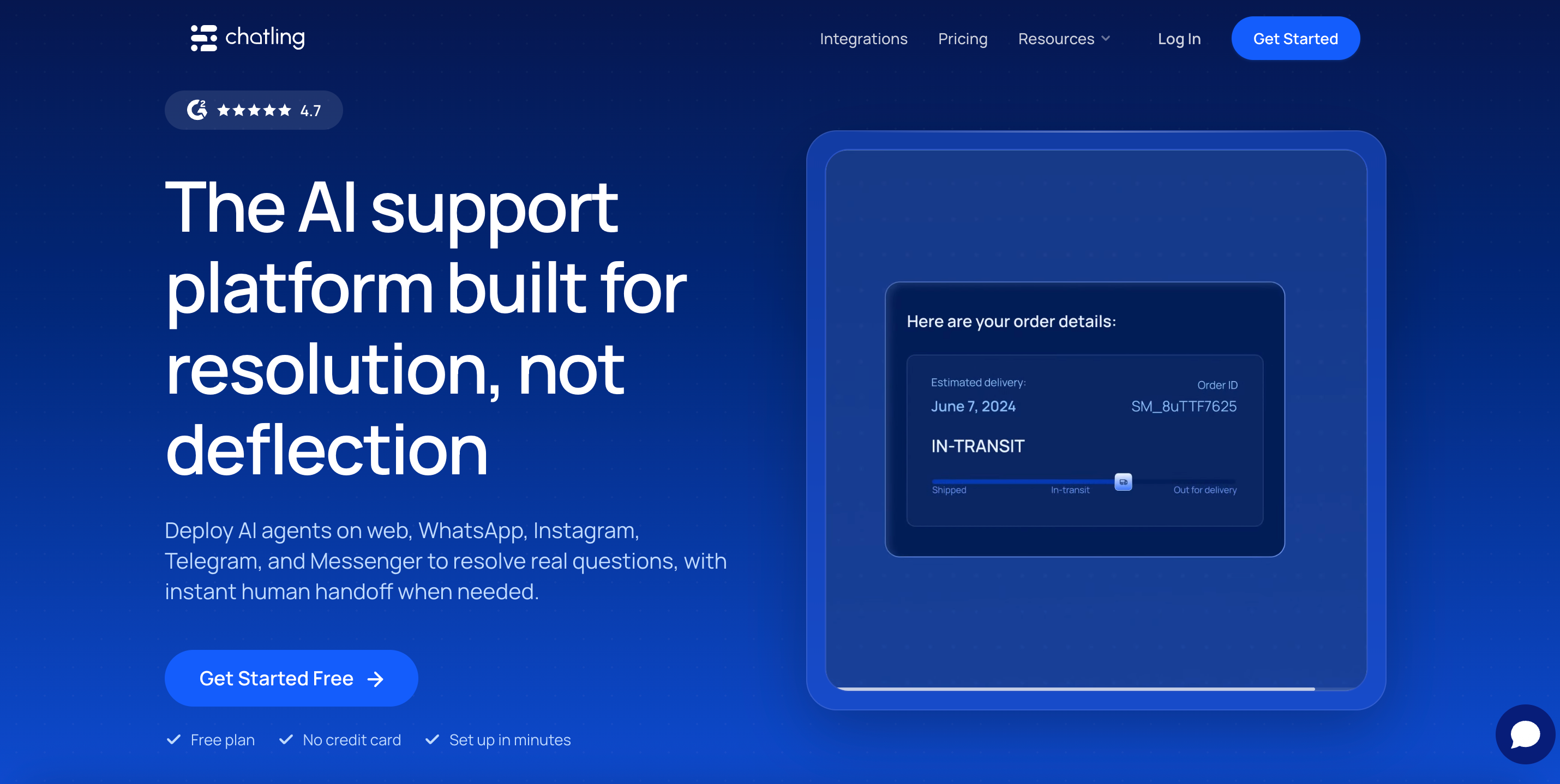
Chatling is a no-code chatbot builder with a visual workflow builder. You drag blocks to design conversation paths, or let the AI answer from your knowledge base. It supports 29 AI models and publishes the cost per credit for each model. Chats themselves are unlimited on every plan, and only AI replies draw credits.
Key features:
- Visual drag-and-drop workflow builder
- 29 AI models across OpenAI, Anthropic, Google, Mistral, xAI, and DeepSeek
- Live chat with human handoff and an AI summary for the agent picking up
- AI actions that complete tasks during a conversation
- WhatsApp, Instagram, Messenger, and Telegram on paid plans
- 30 million knowledge base characters on the Growth plan
Pros:
- Top-up credits cost $10 per 1,000, which is less per reply than the plan rate
- Publishes the credit cost of all 29 AI models, so you can work out capacity first
- Free plan gives 200 credits plus unlimited non-AI chats
- Entry price is a fifth of Wonderchat's Basic plan
Cons:
- Credits scale by model, from 0.5 per reply up to 25 on Claude Opus 5
- Several parallel meters: AI credits, email credits, voice minutes, and resync credits
- Branding removal costs $35 a month unless you reach the Scale plan
- No voice agent or SMS
Pricing: Free at $0 with 200 AI credits. Starter is $25 a month, or $21 annually at $250 a year, with 1,750 credits. Growth is $75 a month, or $63 annually at $750, with 6,000 credits. Scale is $295 per month, or $ 2,950 annually, with 35,000 credits.
Best for: Small sites that need FAQ deflection, a large knowledge base, and scripted conversation paths for very little money.
Chatbase
Chatbase is an AI chatbot platform trained on your documents, links, and text. Its meter has the same shape as Wonderchat's and counts message credits per AI response. What sets it apart is its breadth: voice, telephony, and outbound campaigns in the Standard plan, plus the widest integration list in this category.
Key features:
- AI models from OpenAI, Anthropic, Google, DeepSeek, Meta, Mistral, MoonshotAI, and Z.ai
- AI Actions that perform tasks during a conversation
- Voice, telephony, and outbound campaigns from Standard
- Integrations with Stripe, Zendesk, Salesforce, Intercom, HubSpot, Freshdesk, Gorgias, Shopify, Slack, and WhatsApp
- Tickets as a training source on the Pro plan
Pros:
- Voice and telephony are bundled at a lower price than Wonderchat's voice tier
- Auto-recharge credits do not expire, unlike plan credits
- Free plan available for testing
- The widest AI model roster on this page
Cons:
- Auto-recharge credits cost $40 per 1,000, about a third more per credit than the plan rate
- Branding removal costs $99 a month
- Extra AI agents cost $25 each per month
- Free plan agents are deleted after 14 days of inactivity
- Does not publish how many credits each AI model consumes
Pricing: Free at $0 with 50 message credits and 1 member. Hobby is $40 a month with 700 credits and 2 members. The standard is $150 with 4,000 credits and 3 members. The pro is $500 with 15,000 credits and 5 members. Enterprise is custom. Yearly billing takes 20% off.
Best for: Teams that want chat, voice, and phone on one platform and are comfortable managing a credit budget.
DocsBot
DocsBot builds chatbots trained on documentation, with source citations on every answer. It runs two meters: AI credits for usage and source pages for indexing, with a page length of about 5,000 characters. Its model multipliers are published, and it has one cost lever that no other tool here offers.
Key features:
- Source citations are attached to every answer
- Published model multipliers, from 1x up to 24x
- Bring your own OpenAI key, and every model runs at 1x
- Remote MCP connections
- 100,000 source pages on the Business plan
- Slack, Messenger, WhatsApp, Telegram, and Zapier integrations
Pros:
- Connecting your own API key drops every model to 1x, which is the largest cost lever in this category
- Add-on credits cost about the same per unit as the plan rate, with no penalty
- Publishes its multipliers, so you can do the arithmetic before buying
- Handles documentation sets; no other tool here will index
Cons:
- Two meters plus a seat count means three ways to run out
- At the credit limit, the bot stops and shows visitors an error, unless you enable auto-add
- Free plan bots expire after 30 days
- Advanced document parsing costs 2 AI credits per page
Pricing: Free at $0 with 100 AI credits, 1 bot, 50 source pages, and 1 seat. Personal is $49/month with 5,000 credits and 5,000 source pages. The standard plan is $149 with 15,000 credits, 3 bots, and 5 seats. Business is $499 with 60,000 credits, 10 bots, and 10 seats. Extra credits cost $49 per 5,000; extra pages cost $29 per 10,000.
Best for: Teams with very large documentation sets, especially if you already pay OpenAI directly and want the 1x rate.
SiteSpeakAI
SiteSpeakAI is a website chatbot builder with an attached chat inbox. It trains an AI agent on your website content and then pairs it with conversation history, an AI search bar, and page-context awareness. Its free tier includes the inbox, which most competitors do not.
Key features:
- Live chat widget, chat inbox, and conversation history from the free plan
- AI models from OpenAI, Anthropic, Google, and xAI, with your own keys on Pro
- API and MCP Server access on Pro
- WhatsApp, Google Chat, and HubSpot integrations on Pro
- Prompt Guard on every tier, PII redaction on Business
- Agency plans with white-label dashboards
Pros:
- The chat inbox is included on the free plan
- Branding removal is included in the Starter plan
- Bring your own API key on Pro moves model cost off the meter
- Agency and reseller plans, which Wonderchat does not offer
Cons:
- Escalate to Human Support requires the Pro plan, two tiers up
- Extra message credits cost $25 per 1,000, one of the highest top-up rates here
- The free tier gives 30 credits, enough for a short test only
- Advanced AI models and API access both begin at Pro
Pricing: Free at $0 with 30 message credits, 1 AI agent, and 10 training sources. Paid plans start at about $29 a month with 1,000 credits. Pro adds 3,000 credits, 5 agents, all models with your own keys, and API access. Growth and Business add 10,000 and 20,000 credits. Annual billing saves up to 17%.
Best for: Teams that want a website chatbot plus an inbox for agents to work in. Check which tier unlocks escalation before buying.
SiteGPT
SiteGPT trains a chatbot on your website by crawling your pages. You enter a URL, pick the pages, and embed the widget. It pulls training sources from websites, sitemaps, files, YouTube, GitHub, Notion, Google Drive, and Dropbox. Its message allowance is split by AI model, and it publishes both numbers.
Key features:
- Twelve training source types, including GitHub and YouTube
- Lead capture is built into the chat flow
- Slack, Zapier, Webflow, Shopify, and WordPress integrations on Growth and above
- Zendesk AI Agent on the Scale plan
- API access from Growth
- Human handoff to a live agent
Pros:
- The model split is published, so you know both ceilings before buying
- Extra message packs cost about $0.0118 each, which is less than the plan rate
- Annual billing saves up to 40%
- Wider training sources than Wonderchat
Cons:
- The pricing page loads with the yearly toggle on, so $39 is annual and $59 is the monthly rate
- The model split moves the allowance tenfold, from 4,000 mini messages to 400 on GPT-4.1
- The Starter plan has no integrations and no API access
- No free plan, only a 7-day free trial
Pricing: Starter is $59 a month, or $39 annually, with up to 4,000 messages, 1 chatbot, and 1,000 pages. Growth is $129 per month or $79 per year, with 10,000 messages and 2 chatbots. Scale is $429 per month or $259 per year, with 40,000 messages and 3 chatbots. Extra packs cost $59 per 5,000 messages.
Best for: Teams training a chatbot on content spread across GitHub, Notion, and Drive who want lead capture in the widget.
CustomGPT.ai
CustomGPT.ai grounds answers in your own documents and attaches source citations. It supports over 1,400 file formats and connects to SharePoint, Google Drive, Zendesk, HubSpot, and Salesforce. Its unit is a query, which behaves like a per-reply meter under a different name. A five-turn conversation uses five queries.
Key features:
- Support for over 1,400 document formats
- 60 million words of storage on Standard, 300 million on Premium
- SharePoint connector with auto-sync on Premium
- RAG API access on every tier
- 10 AI agents on the entry plan
- SOC 2 Type II, GDPR, and HIPAA compliance
Pros:
- A flat rate near $0.10 per query with no model multipliers to calculate
- 10 agents on the entry plan, more than any other tool here
- Compliance coverage is complete rather than in progress
- Queries the pool at the account level, so all your bots share one allowance
Cons:
- $99 for 1,000 queries is the highest entry rate per unit on this page
- Web search costs extra credits: three additional on Standard, two per search on Premium
- The system stops responding at the query limit, with no published overage rate
- The 7-day trial requires a credit card
Pricing: Standard is $99 a month, or $89 annually, with 1,000 queries, 10 agents, and 3 seats. Premium is $499 a month, or $449 annually, with 5,000 queries, 25 agents, and 5 seats. Enterprise is custom, and CustomGPT.ai has cited a typical range of $2,000 to $6,000 a month.
Best for: Large knowledge bases where governance and file format coverage matter more than cost per query.
My AskAI
My AskAI runs inside the helpdesk you already use. It connects to Zendesk, Intercom, Freshdesk, Gorgias, and HubSpot, and answers from your help content. Its unit is a ticket, not a reply, so a long thread costs the same as a short one. It trains on historic tickets on the entry plan.
Key features:
- Runs inside your existing helpdesk with no migration
- Trains on help center articles, websites, Google Drive, and Notion
- Historic ticket training on the entry plan
- AI Tasks, including refunds and cancellations
- Chrome extension copilot for agents, with no seat charge
- Replies in 95+ languages
Pros:
- About $0.10 to $0.12 per ticket, and one ticket covers many replies
- Historic ticket training is not gated behind a high tier
- 30-day free trial with no credit card, the longest here
- Human handoff is native, because the agent works inside your inbox
Cons:
- $199 a month is the highest entry price on this page
- The advertised $0.10 is the overage rate. Included tickets work out to about $0.199 on Pro
- Branding removal and API, Slack, and Teams access each cost $49 a month extra on Pro
- Requires an existing helpdesk, so it is not a standalone website chatbot
Pricing: Pro is $199 per month with 1,000 tickets, 5 seats, and $0.12 per extra ticket up to 5,000 tickets. Scale is $499 a month with 2,000 tickets, unlimited seats, and $0.10 overage. Enterprise starts at $999 a month. Annual billing takes 33% off.
Best for: Teams already running Zendesk, Intercom, or Freshdesk whose conversations run long.
eesel AI
eesel AI plugs into the helpdesk you already run and resolves tickets inside it. It trains on past tickets, help center articles, and documents in Confluence, Notion, and Google Drive. Its unit is the conversation, not the reply, which is the structural opposite of Wonderchat's meter. It also ships a chat widget for marketing sites.
Key features:
- Runs inside Zendesk, Freshdesk, Intercom, Slack, and Shopify
- Trains on past tickets on any plan
- Simulation mode that replays historical tickets before you go live
- Spending cap with alerts at 50%, 75%, and 100%
- Gradual rollout, routing only part of your queue to the AI
- Separate helpdesk, blog writer, and e-commerce agents under one account
Pros:
- One ticket or chat session is one task at $0.40; however, it takes many replies
- No platform fee, no per-seat charge, and no monthly minimum
- The spend cap warns you rather than letting the widget go quiet
- $50 in free usage with no credit card
- SOC 2 Type II, GDPR, and CCPA
Cons:
- Below roughly 16 AI replies per conversation, a per-reply meter costs less
- Tasks are billed regardless of outcome, so failed attempts still cost $0.40
- Blog post drafts cost $4.00 each
- Enterprise adds a $1,000 a month platform fee on top of usage
Pricing: $0.40 per support ticket or chat session. Light tasks, such as dashboard lookups, are free. Heavy tasks such as blog drafts cost $4.00. There is no platform fee, per-seat fee, or monthly minimum. Enterprise costs $1,000 a month plus usage. Annual commitment saves up to 25%.
Best for: Teams whose conversations run long. The crossover against Wonderchat's Basic rate sits at roughly 16 AI replies per chat.
How to choose
If cost per reply is the problem, choose Nivon. About $0.004 per message compares with $0.0248 on Wonderchat Basic, and the rate does not change with your AI model.
If your conversations run long, choose eesel AI or My AskAI. Both bill per conversation rather than per reply, so a ten-turn thread costs the same as a two-turn one. Below roughly 16 replies per chat, a per-reply meter is cheaper.
If you keep buying top-ups, choose Chatling, SiteGPT, or DocsBot. All three price the extra unit at or below the plan rate. Wonderchat and Chatbase both charge more.
If your documentation is very large, choose DocsBot. Connecting your own OpenAI key drops every model to 1x, which no other tool here offers.
If you need SOC 2, a HIPAA BAA, or EU data hosting today, stay on Wonderchat. It has all three now. Nivon's SOC 2 Type II is still in progress, and most tools on this page do not offer EU hosting or a BAA.
If you need a voice agent or SMS, stay on Wonderchat or choose Chatbase. Nivon, Chatling, SiteGPT, and DocsBot have none of those channels.
Frequently asked questions
What is the best Wonderchat alternative?
It depends on what is not working. For a lower cost per reply, Nivon charges about $0.004 on top of $12 a month. For per-conversation billing rather than per-reply, eesel AI charges $0.40 per ticket, and My AskAI charges about $0.10 to $0.12. For voice and telephony, Chatbase includes both from its Standard plan.
What is the cheapest Wonderchat alternative?
Nivon has the lowest entry price at $12 a month and the lowest cost per reply at about $0.004. Chatling is $25, and SiteSpeakAI is about $29. eesel AI has no base fee, charging $0.40 per conversation, which suits low volume.
How much does Wonderchat cost?
Wonderchat is free at $0 with 20 message credits a month. Basic costs $124 a month, billed yearly, with 5,000 credits. Scale costs $417 billed yearly. Enterprise starts at $1,499. Extra credits cost $29.99 per 1,000. Yearly billing saves 17%, so the monthly rates are higher.
What is a Wonderchat message credit?
One message credit is one AI-generated reply, as stated in Wonderchat's own credit guide. A six-turn conversation uses six credits. Test conversations also consume credits, and unused credits expire on your billing date rather than roll over.
Does Wonderchat have a free plan?
Yes, with 20 message credits a month, 1 AI agent, 1 seat, and 50 stored pages. It includes human handover and the widget embed. At roughly 10 resolved conversations a month, it is a demo rather than a working free tier.
Is there a free alternative to WonderChat?
Yes. Nivon's free plan includes 150 messages per month, no credit card required, and no expiry. Chatling gives 200 AI credits plus unlimited non-AI chats. DocsBot gives 100 credits, though bots expire after 30 days. Chatbase gives 50 credits and deletes agents after 14 days of inactivity.
What happens when Wonderchat runs out of credits?
Wonderchat's documentation says the chatbot pauses and stops responding, you get an email, and you are prompted to upgrade or buy add-on credits. The same page also says overage billing will apply, so the two statements conflict. Confirm which applies to your account.
Do Wonderchat's top-up credits cost more than plan credits?
Yes. The Basic plan works out to about $0.0248 per credit, and the add-on pack costs $29.99 per 1,000 credits, or $0.03 per credit. That is about 21% more per reply. Chatling, SiteGPT, and DocsBot all price extra units at or below their plan rate.
Which Wonderchat plan includes Zendesk ticket training?
Helpdesk integrations are on the Scale plan at $417 per month, billed annually. Among the alternatives here, My AskAI trains on historic tickets on its $199 entry plan, and eesel AI trains on past tickets on any plan.
Why do Wonderchat's credit numbers differ on the same page?
The $417 plan card lists 25,000 message credits, while the comparison table below lists 15,000, and the tier is called Scale in one place and Turbo in the other. Ask Wonderchat to confirm the correct figure before you subscribe.
Which one to pick
Wonderchat's compliance position is real. SOC 2 Type II certified, EU hosting in Frankfurt, and a HIPAA BAA on request are more than most tools in this bracket offer. Training on video and audio files is unusual, too.
The problem is the meter. One credit per AI reply means your bill tracks how talkative your customers are. Credits expire, test chats consume them, top-ups cost more than plan credits, and the widget stops answering when credits reach zero.
If you want a single price per reply that does not change, Nivon charges 1 credit per message across 20+ AI models, starting at $12 a month, with a free plan that does not expire.